Details
-
Type:
Bug
-
Status:
Closed
-
Priority:
Major
-
Resolution: Fixed
-
Affects Version/s: 1.0
-
Fix Version/s: 1.1 M1
-
Component/s: Content Filtering
-
Labels:None
-
Environment:Windows XP, MS Word 2007
-
Similar issues:
XOFFICE-183 Box in Word is table in Browser XOFFICE-175 Cannot see tables in MS Word XOFFICE-179 Issues erasing part of a link label in MS word XOFFICE-203 Justifed Text in Word isn't justified in the browser XOFFICE-176Add a button that will refresh the page when you click it XOFFICE-207 For a table text that takes several lines in Word appears on one line in the browser XOFFICE-197 Increasing indent in word does not show in browser XOFFICE-199Changes to font and font size in Word don't show up in the browser XOFFICE-200 "AutoFit to Window" in Word adds horizontal scrollbar to the page in the browser XOFFICE-72Word generates different HTML for words not in it's dictionary (spelling errors or grammar errors)
Description
Steps to follow to reproduce:
- Create a new page and save it
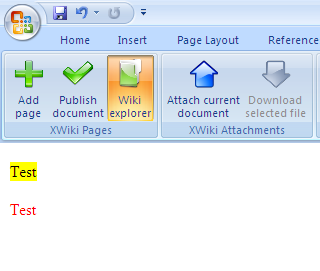
- Write some text in word and colour it
- Click "Publish document"
- Open the page in the browser
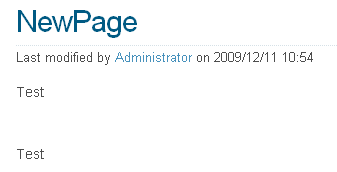
Result: The writing is not coloured in the browser. In addition, if you open the page again in word the writing is no longer coloured.
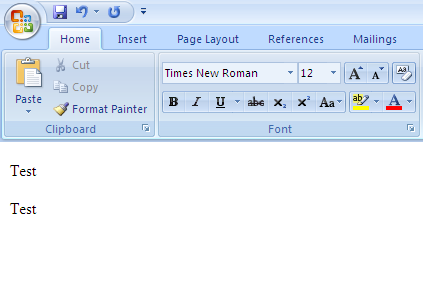
This also happens to other types of formatting (e.g. changing the font size)