Details
-
Type:
Bug
-
Status:
Open
-
Priority:
Major
-
Resolution: Unresolved
-
Affects Version/s: 1.1 M1
-
Fix Version/s: 1.2 M2
-
Component/s: Content Filtering
-
Labels:None
-
Environment:Windows Vista, Microsoft Word 2007
-
Similar issues:
XOFFICE-183 Box in Word is table in Browser XOFFICE-193 Changes made in the size of a table's cells using MS Word don't appear in the browser XOFFICE-195 Clicking "Enter" inside a table in Word will cause for the table to separate in two tables in the browser XOFFICE-208 A table created in Word appears broken when later trying to edit the page that contains it (also in Word) XOFFICE-180 A hyperlink to an image in word appears next to the image in the browser XOFFICE-182 Shapes inserted in Word get displayed in a table in the Browser XOFFICE-203 Justifed Text in Word isn't justified in the browser XOFFICE-205 Centered image in browser appears left aligned in Word XOFFICE-181Coloured text in Word is black when you see it in the browser XOFFICE-175 Cannot see tables in MS Word
Description
Steps to follow to reproduce:
- Create a page and save it
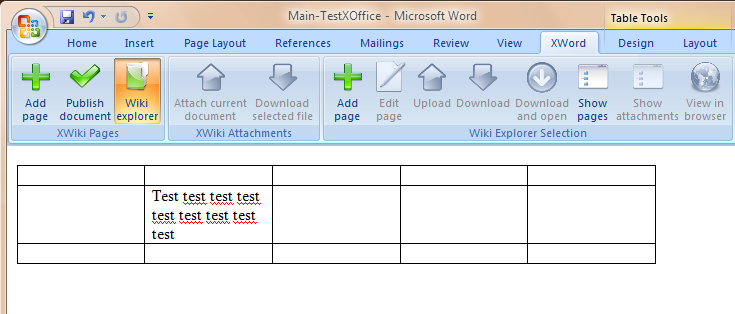
- Insert a table in Word and write some text in one of the cells (make sure the text takes more than 1 line)
- Click "Publish document"
- Open the page in the browser
Result: In the browser the text inside the table appears on one line