Details
-
Bug
-
Resolution: Unresolved
-
 Minor
Minor
-
None
-
1.30
-
None
-
None
-
Unknown
-
Description
The issue is about having a different order for the parameters list for certain macros, like 'Box' macro, when (inserting the macro directly) versus (inserting the macro, after playing with the 'Change macro' button), a.k.a Behaviour1 vs. Behaviour2.
-------
Steps Behaviour 1:
- In an empty WYSIWYG area, press and open the 'Select Macro' modal;
- Select 'Box macro'
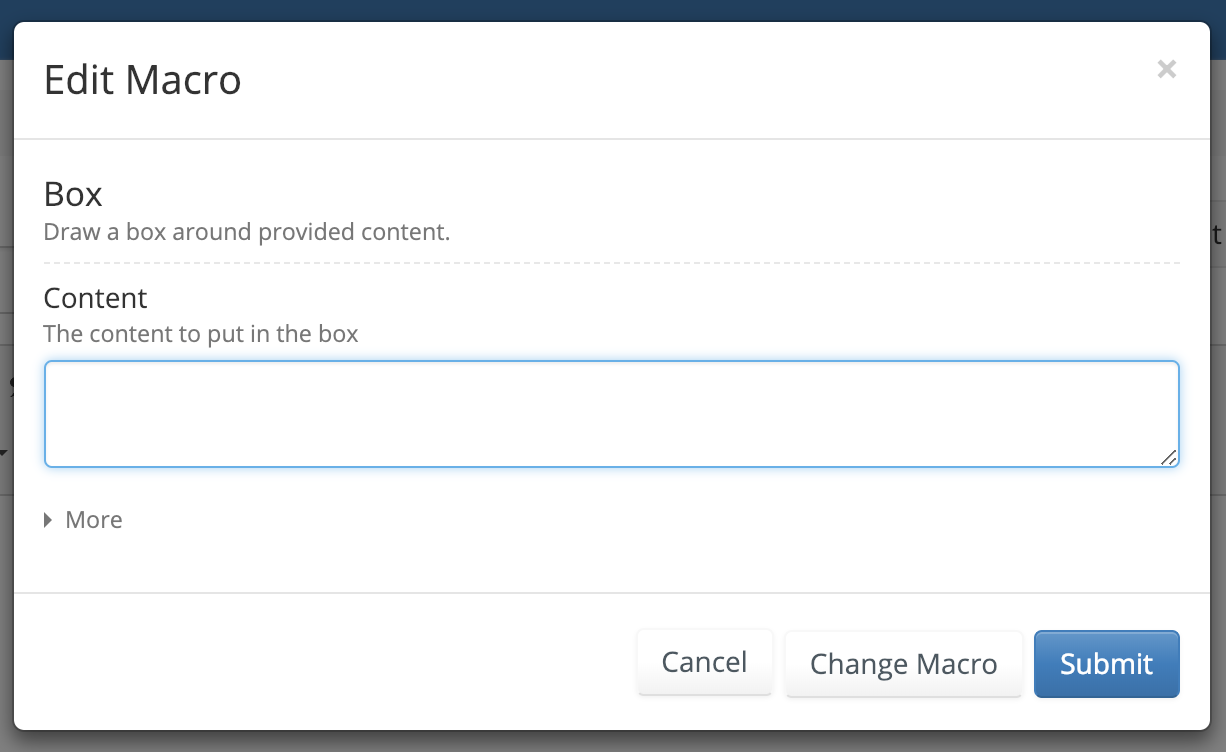
- See initialBoxParamWithEmptyContent.png
Steps Behaviour 2:
- Same steps as Behaviour 1
- Press the 'Change Macro' button
- Select 'Attachment Selector' macro
- Press again the 'Change Macro' button
- Reselect the 'Box Macro'
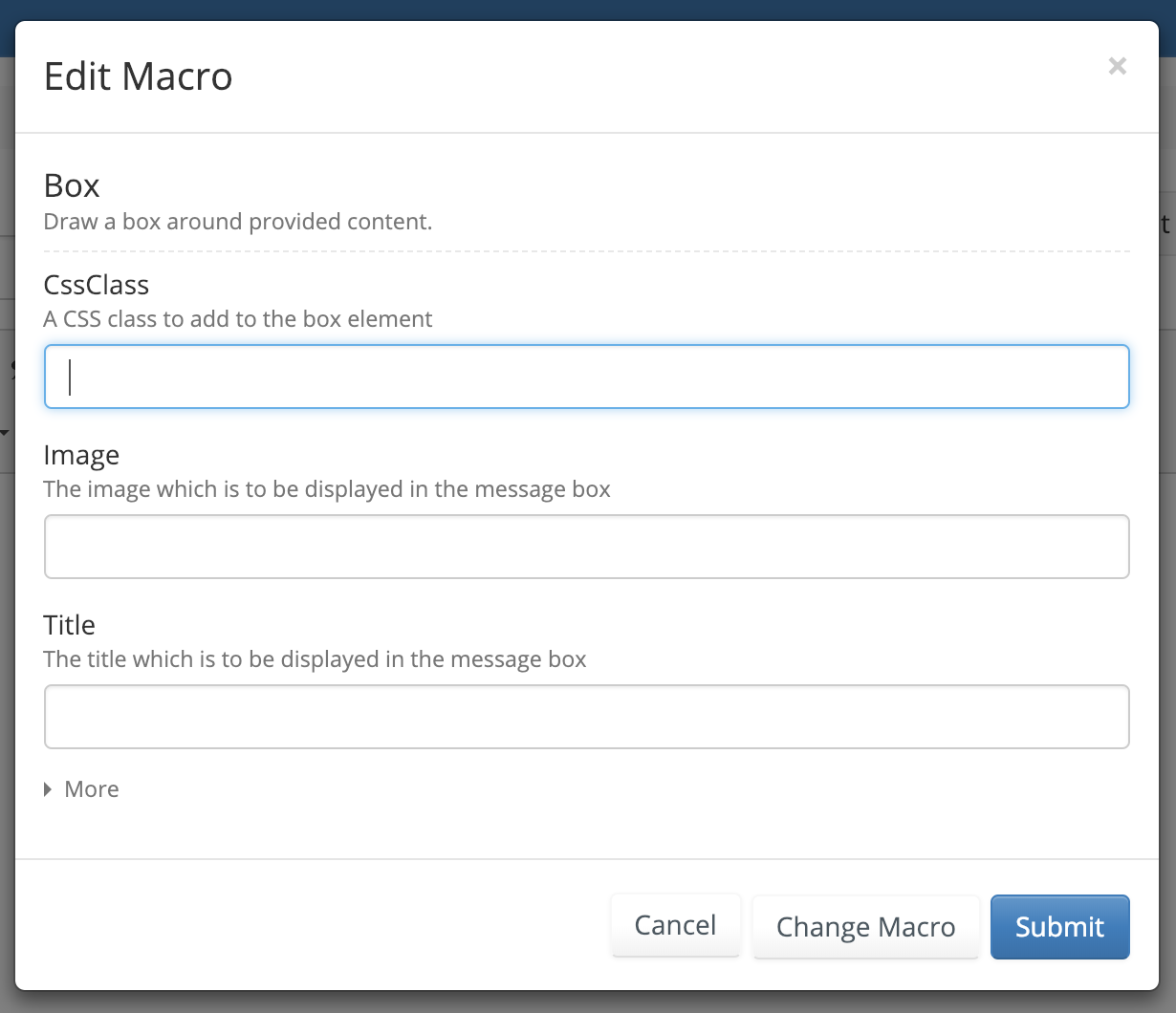
- See initialBoxParamOrderAfterChangeMacro.png
- Press on 'More' to expand parameters
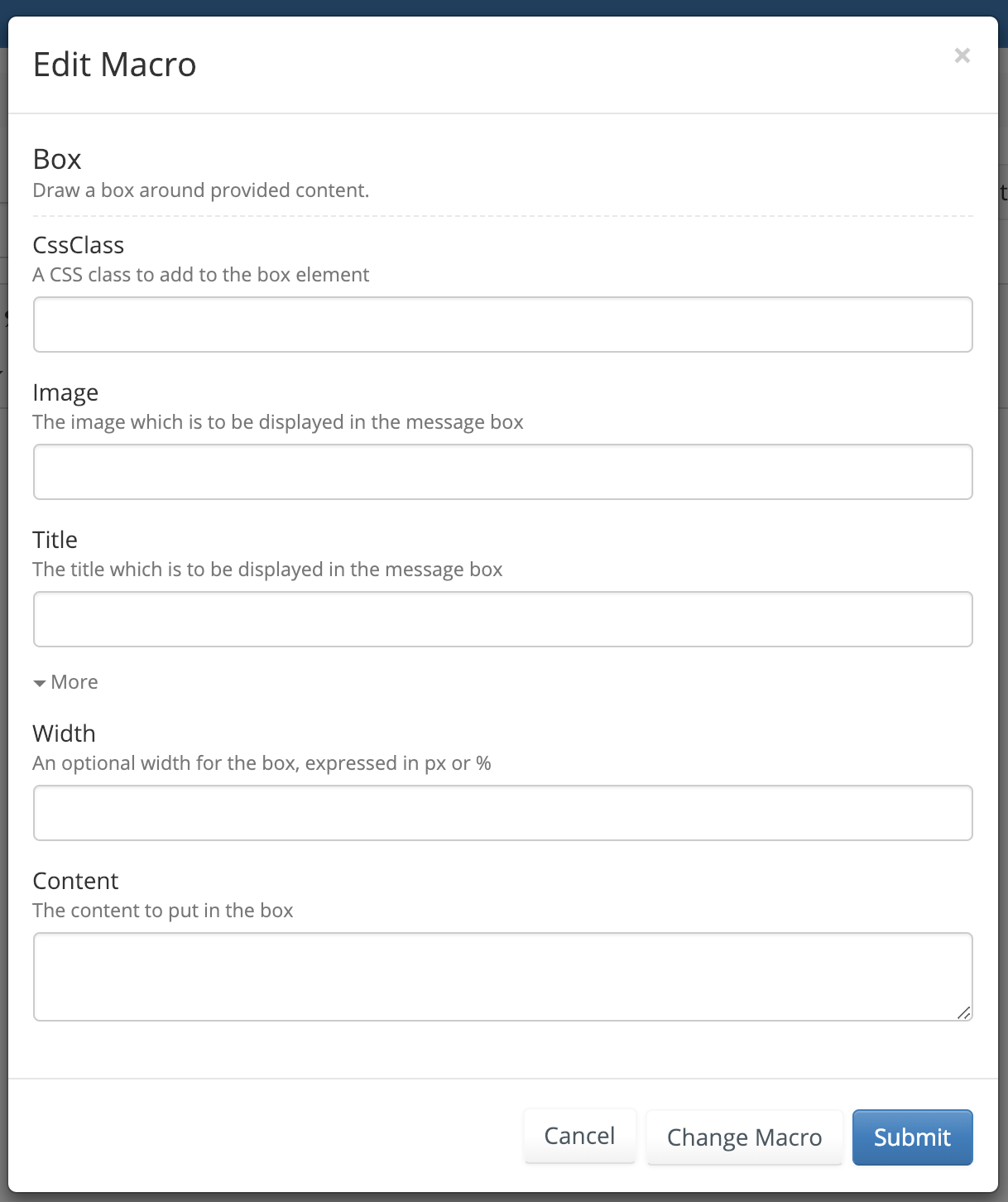
- See allParams.png
-------
Details:
When adding the 'Box' macro the first time, you get something like initialBoxParamWithEmptyContent.png
If, when adding the 'Box' macro, you press 'Change Macro' button, see what parameters 'Attachment Selector' has (or any other macro that doesn't have a 'Content' param), and then go back in adding the 'Box' macro, you will see a clear difference in the displayed parameters, see initialBoxParamOrderAfterChangeMacro.png
Instead of having 'Content' param listed first, you will see 'CssClass', 'Image' and 'Title', with 'Content' param displayed in the 'Advanced' section, see allParams.png
'Content' param is an important parameter that should be displayed first; AND at least have the macros preserver their parameters orders.