Details
-
Improvement
-
Resolution: Unresolved
-
 Minor
Minor
-
None
-
None
-
None
-
None
-
Unknown
-
Description
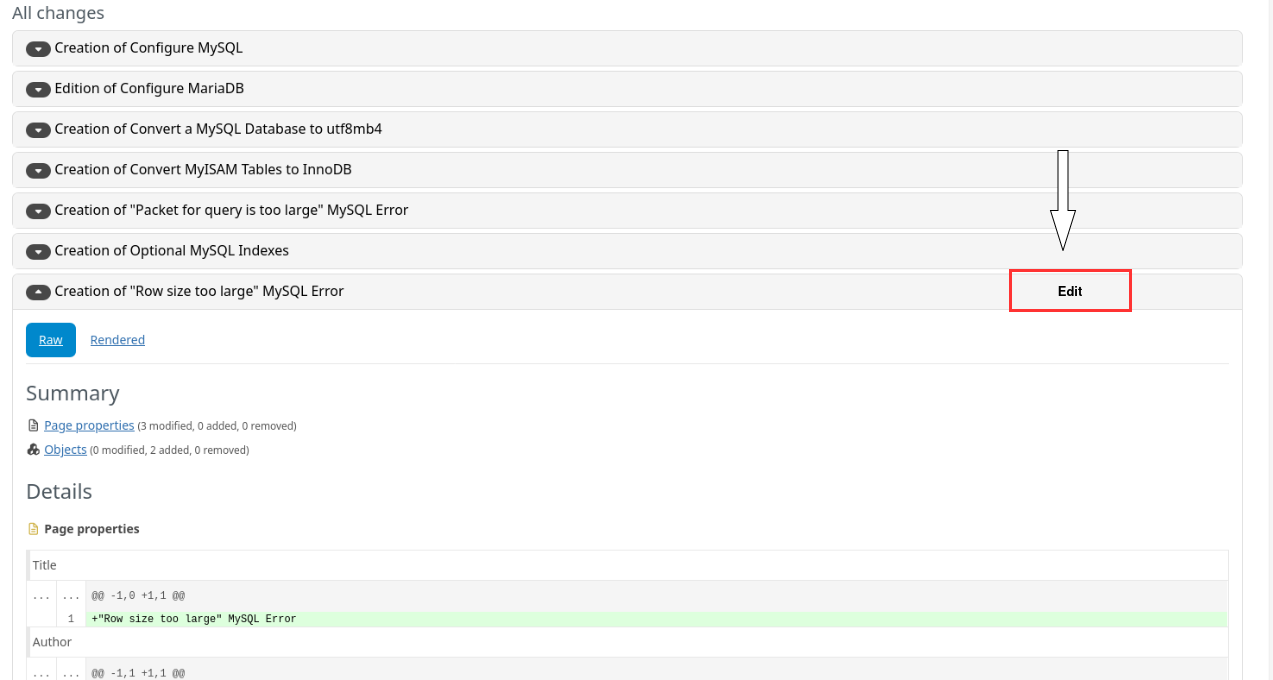
When a Change Request contains many pages, the "All Changes" section in the "Proposed changes" tab lists a large number of entries (each rendered as a {{panel panel-default}} div). While reviewing the changes for each page, if the reviewer identifies the need for an edit on a specific page, the current workflow requires:
- Remembering the title of the page that needs editing.
- Scrolling back up to the "Live Data" table.
- Locating that page in the list.
- Clicking "Edit" next to it.
This is tedious and error-prone, especially for CRs with many affected pages, since the reviewer has to hold the page name in memory while scrolling and searching.
Proposed solution:
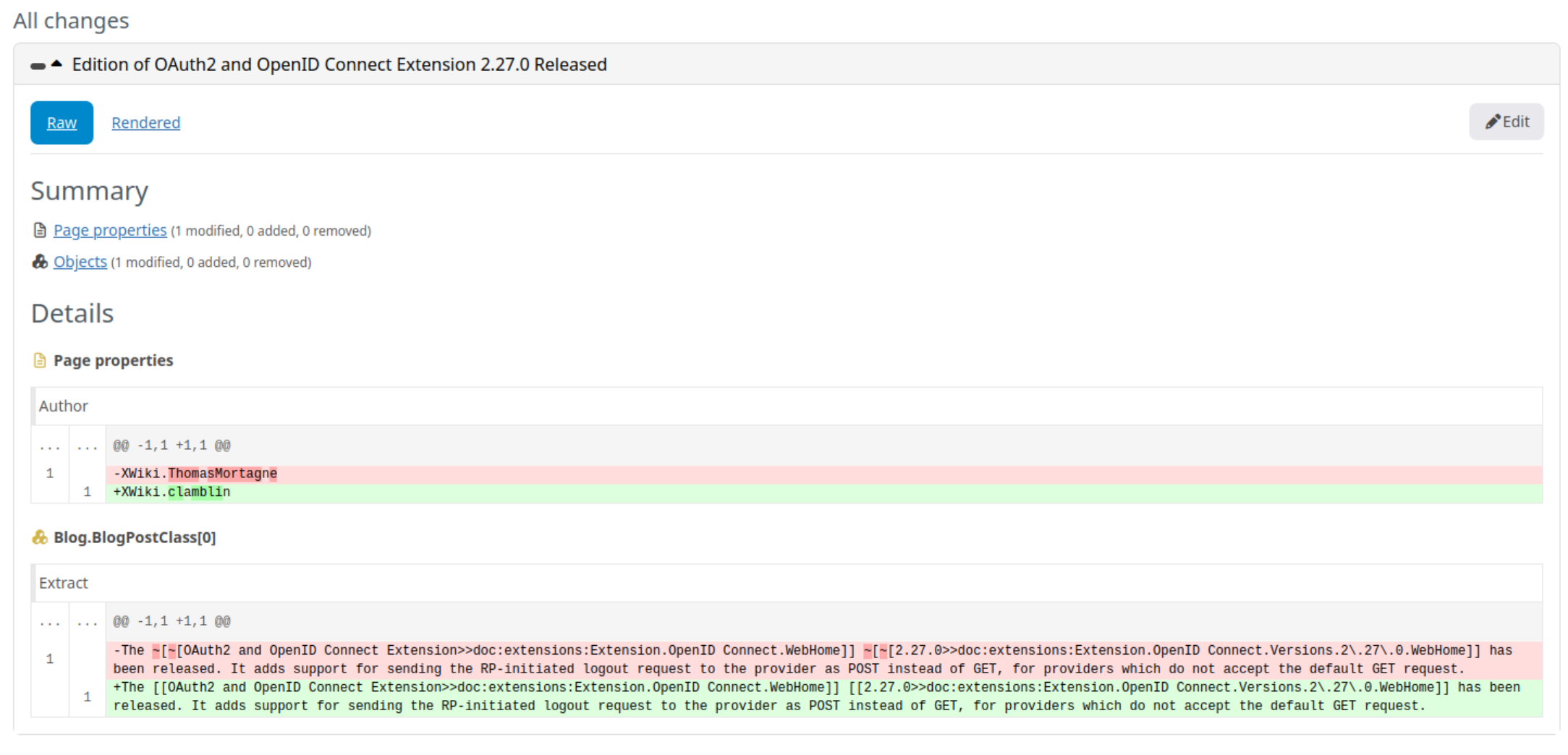
Add an "Edit" button directly on each page entry panel within "All Changes", performing the same action as the existing "Edit" button in the Live Data table (i.e., taking the reviewer directly to edit that specific page). This would let reviewers edit immediately on a page while reviewing its diff, without needing to locate it elsewhere on the page.
Benefit:
- Removes the need to memorize page names while scrolling.
- Reduces the number of steps to edit a page found to need changes.
- Speeds up the review process for CRs affecting many pages.
A very rough example: