Details
-
Bug
-
Resolution: Fixed
-
 Major
-
1.5.2.4
-
None
-
None
Description
1) Go to curriki.org and log in.
2) Under "FIND" in the left nav, click "Reviewed Resources"
3) After that search results page generates, under CONTRIBUTE in the left nav, click "Add a Resource"
4) Choose either of the form options – lesson plan from a template or resource from scratch
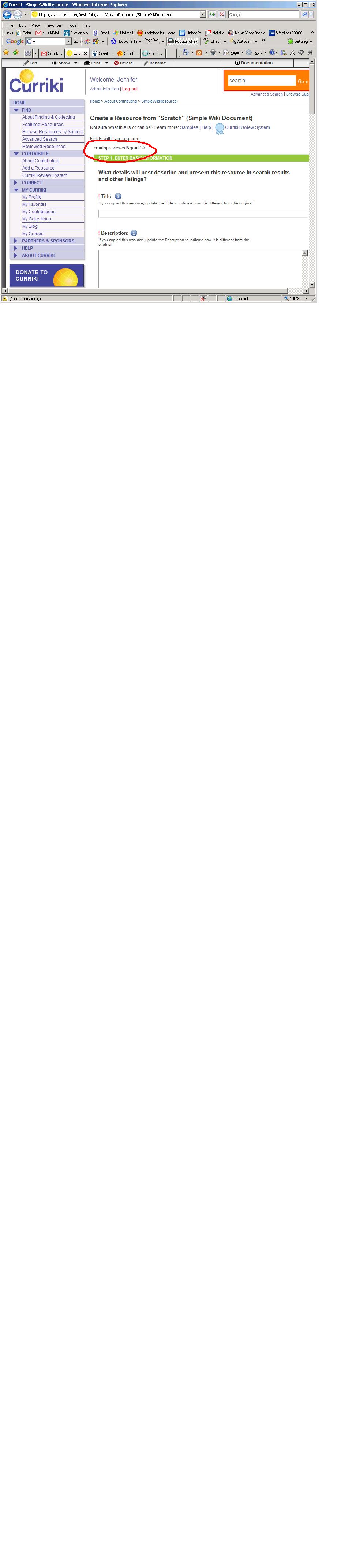
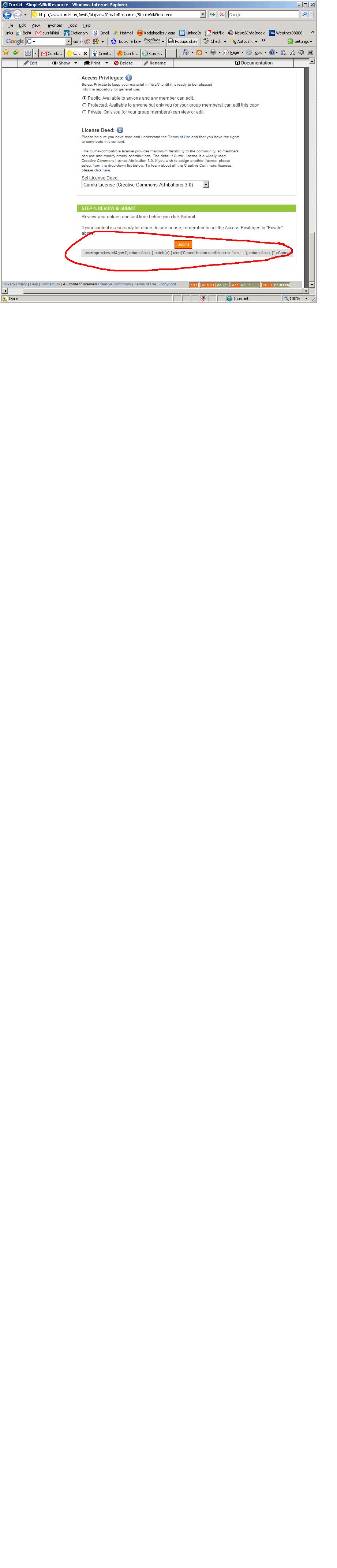
5) When the form is generated, there are two lines of code sort of embedded in the page at the top in the Title Area and at the bottom, below the Submit button, which seem to reference the special URL search for the Reviewed Resources search. See the attached images for reference.
NB: The same occurs if you use the "Partner Resources" link under PARTNERS & SPONSORS instead, in Step 2 above.
This funny code should not appear.
Per Todd, assigning this to Dave, who should assign to Todd if can't fix.