Uploaded image for project: '{RETIRED} Curriki'
  1. {RETIRED} Curriki
  2. CURRIKI-3042

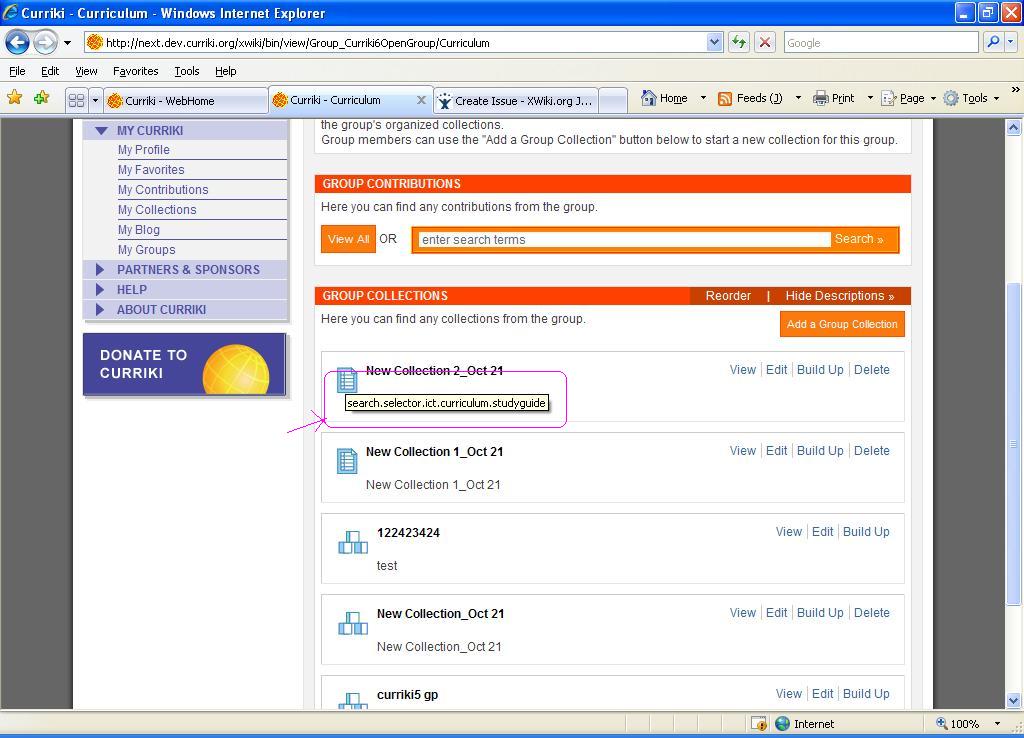
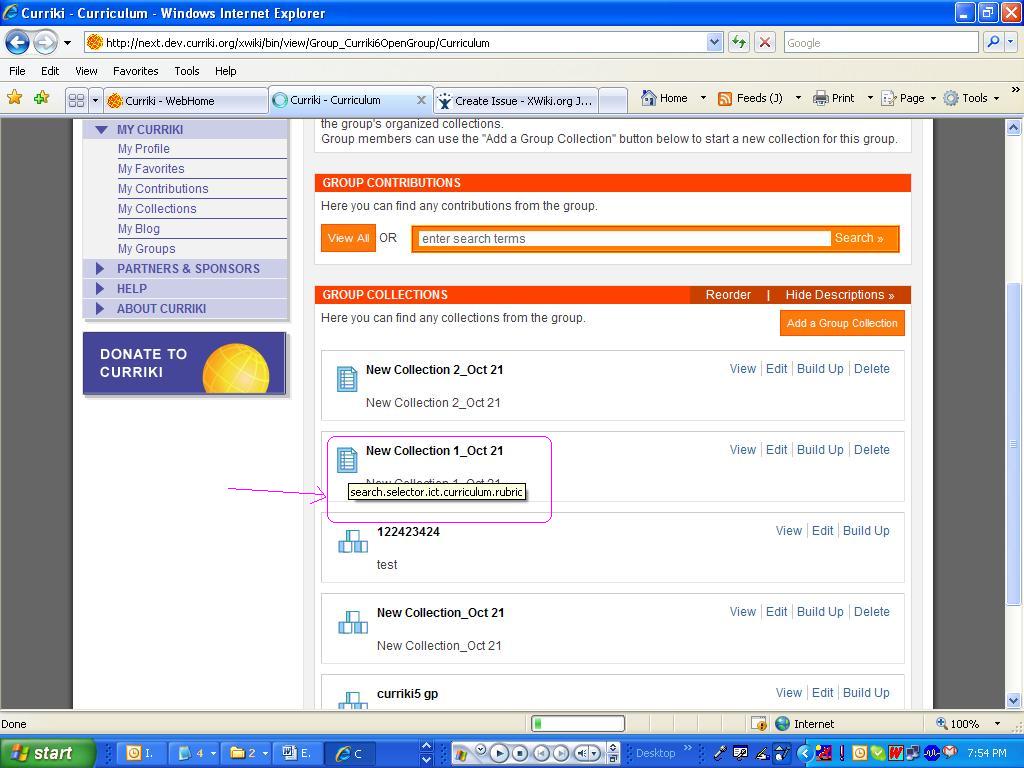
My Curriki>My Contributions>Add a Resource>In the SRI Part 1 dialog window select the NEWLY ADDED ICT>Save it>In the View Mode Roll over the Mouse on the ICT>TRANS MESSAGE" IS DISPLAYED

    XMLWordPrintable

Details

    • Bug
    • Resolution: Fixed
    • Major
    • 1.7 EOU 2
    • None
    • None
    • None

    Description

      My Curriki>My Contributions
      Add a Resource
      In the SRI Part 1 dialog window select the NEWLY ADDED ICTS(According to Data Model Updates spec 2)a)
      In the View Mode for the Newly Added Resource
      Roll over the Mouse on the ICT "TRANS MESSAGE" IS DISPLAYED
      "Search.selector.ict.curriculum.styleguide"

      For Eg:Curriculum Rubric like wise for all new ICTs it displays the TRANS message .

      It occurs in all pages for NEWLY ADDED ICTS(From Data Model Updates spec 2)a) )

      Pl Refer the screen shot
      Attachments

        Activity

          People

            pradeep PradeepKumar
            pradeep PradeepKumar
            Votes:
            0 Vote for this issue
            Watchers:
            0 Start watching this issue

            Dates

              Created:
              Updated:
              Resolved: