Details
-
Bug
-
Resolution: Fixed
-
 Major
-
None
-
None
-
None
Description
My Curriki>My Collection
In the Resource View mode of the collection
Content Tab>select any asset from the TOC >Edit Link
Edit any of the options with out making any changes over the Revision History Note
Click the save button
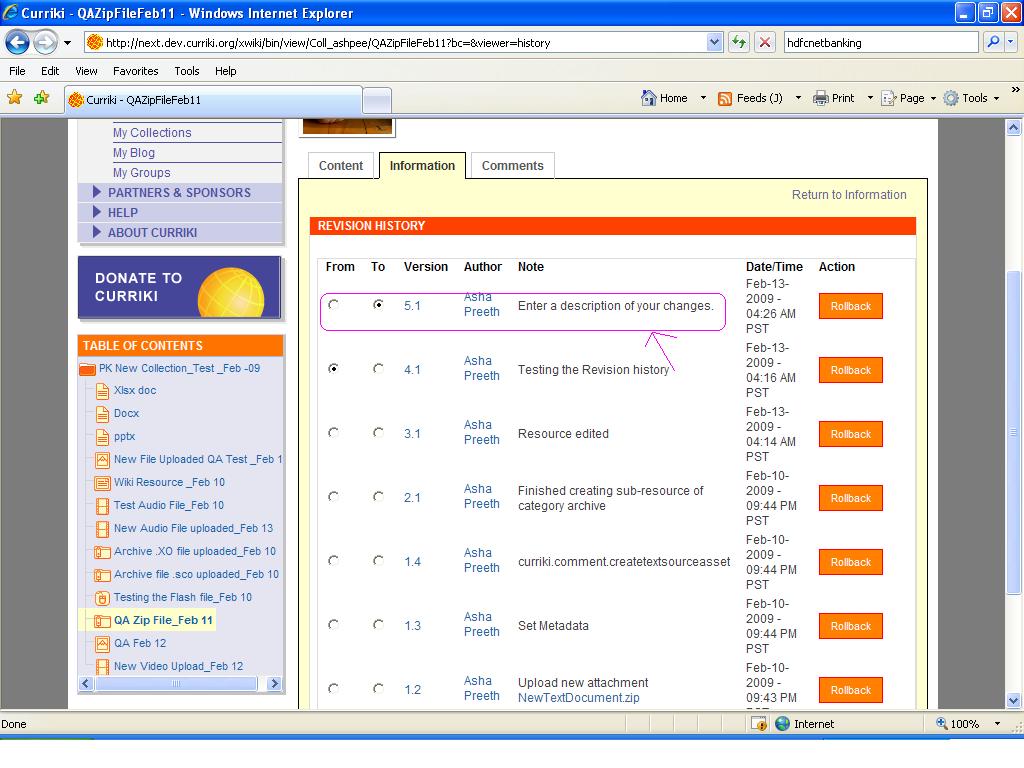
Information Tab>Revision History
Below the title Note it displays as "Enter a description of your changes".(Default comment should not be displayed here)
URL:http://next.dev.curriki.org/xwiki/bin/view/Coll_ashpee/QAZipFileFeb11?bc=&viewer=history
Please refer the screen shot:Revision History_Notes_Default Message.JPG