Details
-
Bug
-
Resolution: Duplicate
-
 Major
-
None
-
None
-
None
Description
My Curriki>My Collection
In the Resource View Mode of the collection
Select the video file from the TOC
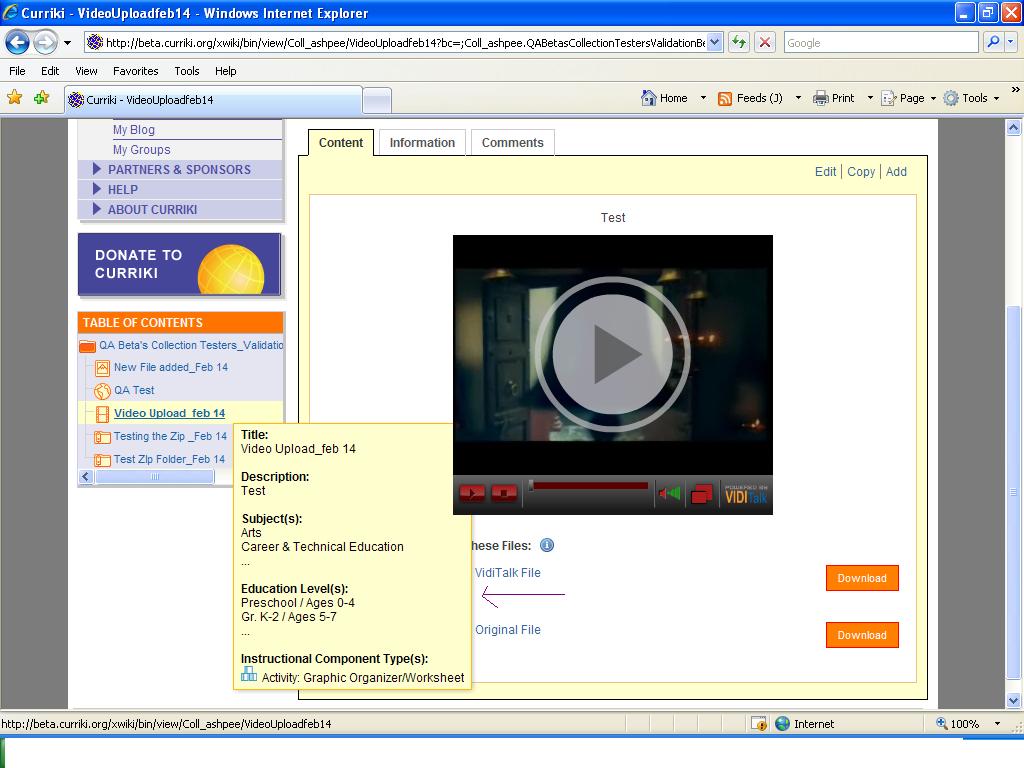
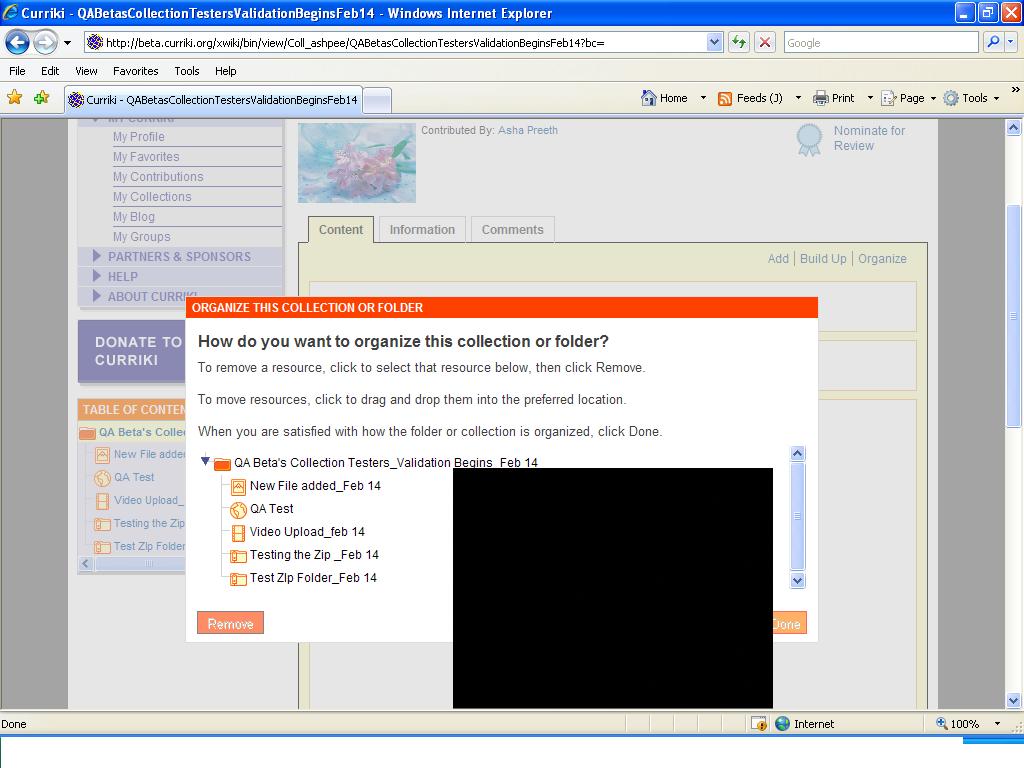
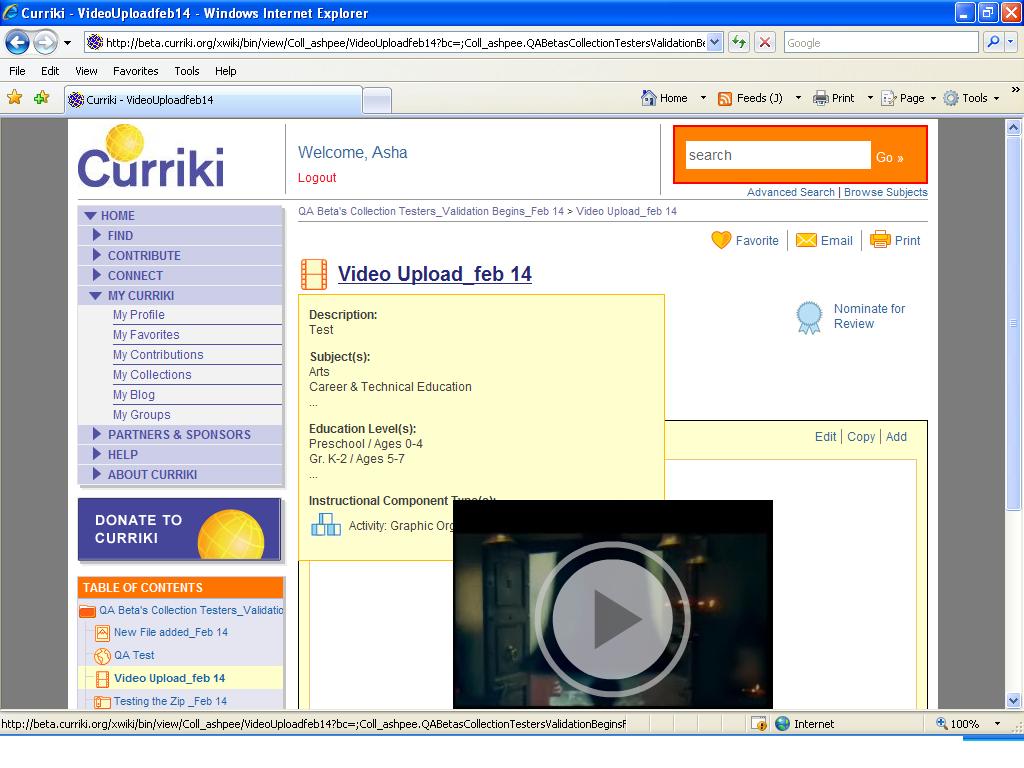
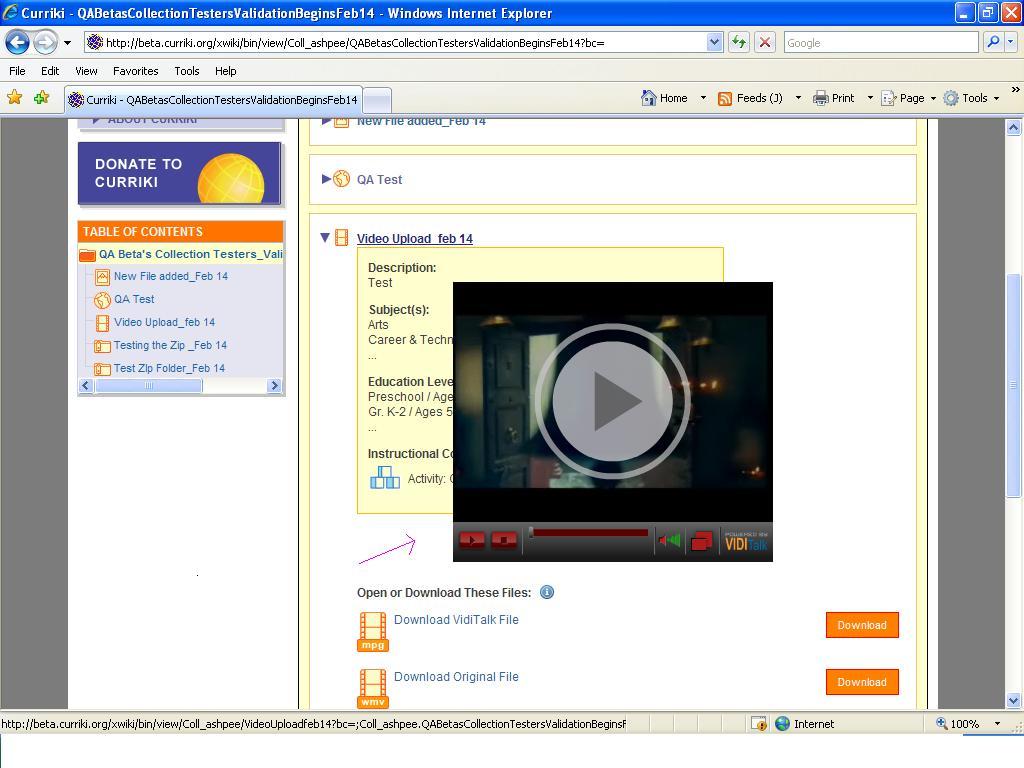
Now place the mouse over, on the Collection Title, TOC ,Video File Title ,and click the Organize Link the TOOL TIP goes behind the Video player.
Please refer the screen shot : Collection title Overlap.JPG ,Collection Tooltip_Video.JPG,TOC Overlap_Video.JPG,File Resource_Organize Overlap.JPG