Details
-
Bug
-
Resolution: Fixed
-
 Minor
-
None
-
None
-
None
Description
Partner Registration > Enter all fields in the html page and Submit.
Partner will be taken to the JOin Curriki page.
Select the checkbox for Terms and Condition and click 'Save Information and Register' button.
Now, Validating, saving message is shown.
After this, a Security Information message is shown.
Click Yes button.
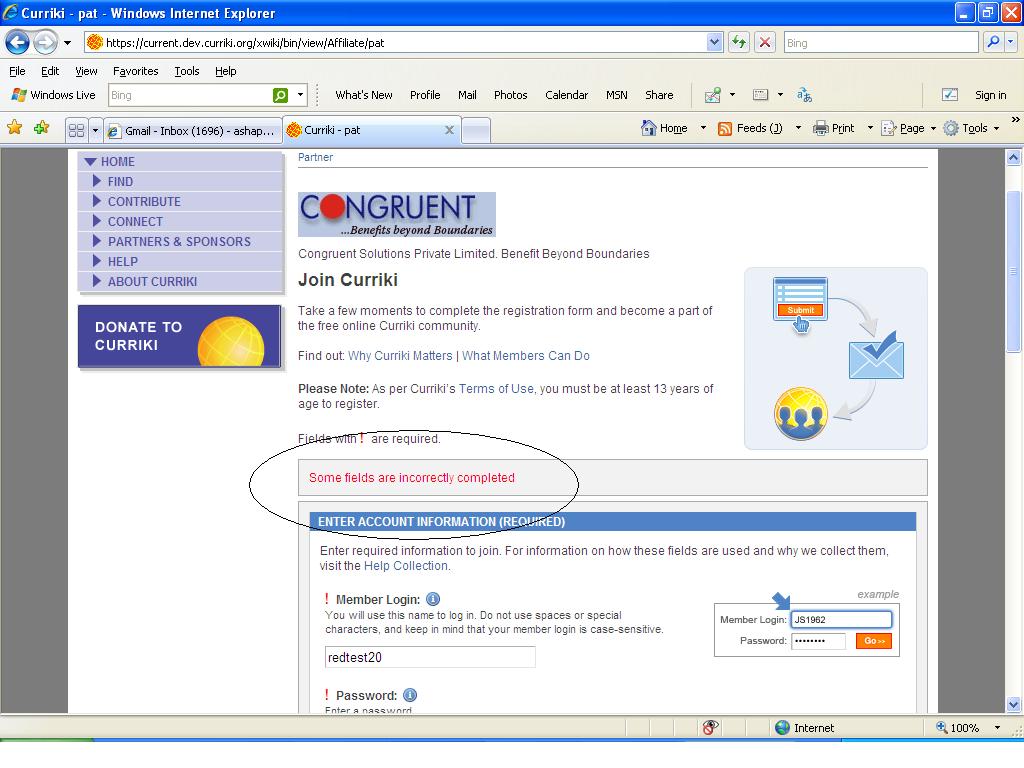
In the Join curriki page, above 'Enter Account Information', a message "Some fields are incorrectly completed " is displayed and the password field is shown cleared.
IF the user enters the password again, then he is able to get registered to curriki
(I think after Security Information message, the password got cleared. ) – In the normal JOin curriki page after Submitting the form, Security Warning message will not be displayed and the above mentioned case will not be displayed.)