Details
-
Bug
-
Resolution: Fixed
-
 Major
-
None
-
None
-
None
Description
Login as a user and go to a collection having a resource.
Click Copy link of the resource.
Without dragging and dropping, click the Next button in CaL Your Copy dialog window.
Fill SRI 1 & 2 mandatory fields and proceed.
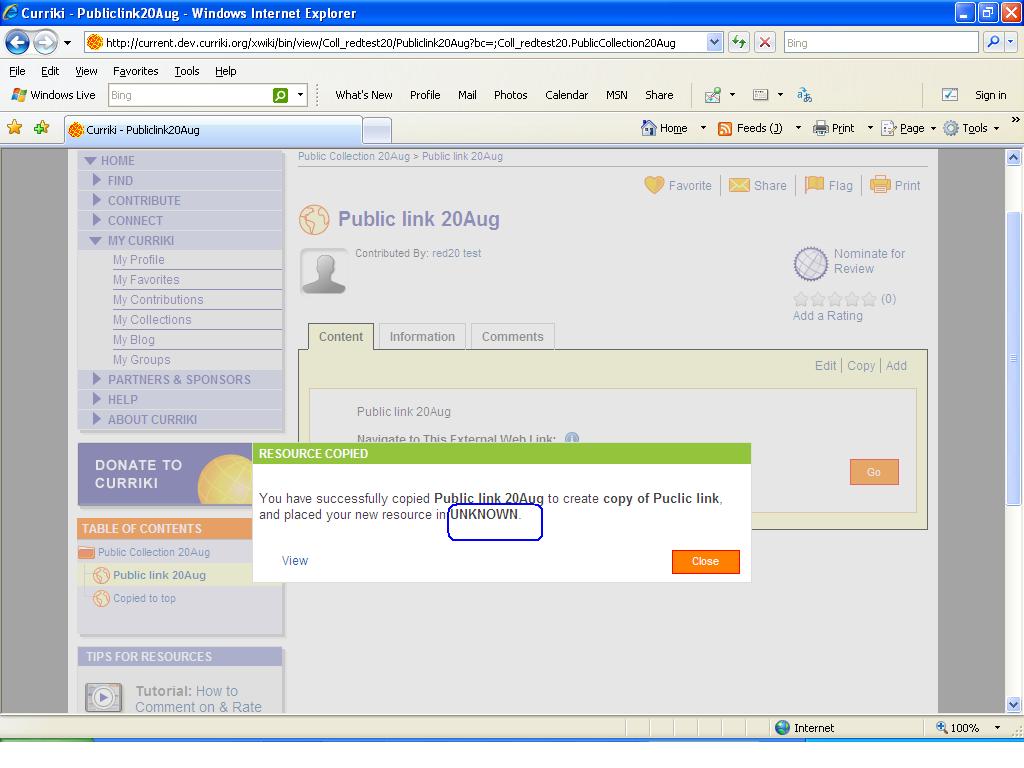
The final message shows the following
"You have successfully copied <resource name> to create <new resource name > and placed your new resource in UNKNOWN."
Here, instead of 'My Contributions' the message shows 'UNKNOWN'.
Tested in current.