Uploaded image for project: '{RETIRED} Curriki'
  1. {RETIRED} Curriki
  2. CURRIKI-5062

Video Uploading: Style progress dialog

    XMLWordPrintable

Details

    • Improvement
    • Resolution: Fixed
    • Major
    • 1.8.10
    • None
    • None
    • None

    Description

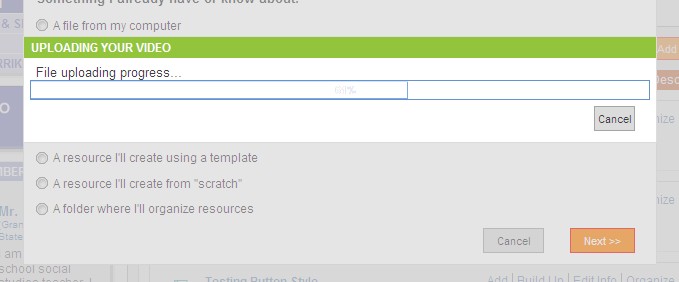
      1. Select to Upload a Video
      2. Select Next, the Upload Progress dialog will appear.

      Improvements:
      1. Please make the dialog approximately 2/5 the current size.
      2. Please add a color to the progress bar. Gray or Orange would be nice.
      3. Change the progress bar outline to match the new color used in #2 above.
      4. Cancel button local is fine.
      Attachments

        Activity

          People

            dward David Ward
            toddsherman Todd Sherman
            Votes:
            0 Vote for this issue
            Watchers:
            0 Start watching this issue

            Dates

              Created:
              Updated:
              Resolved: