Details
-
Bug
-
Resolution: Unresolved
-
 Minor
-
None
-
None
-
None
Description
1. Using Safari on a Mac, select a resource and the standards tab
2. Select to Align a Standard and navigate down to the bottom node
3. Select a node.
4. Select the node below that
Bug
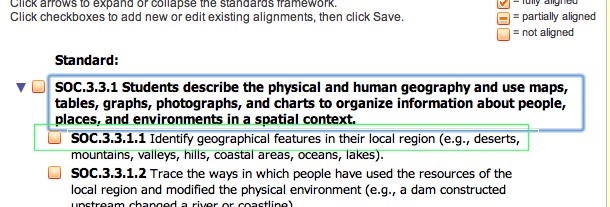
You get a large blue outline. It often overlaps with the node below.
Any way to make it thinner?