Details
-
Improvement
-
Resolution: Unresolved
-
 Major
-
None
-
None
Description
1. Go to Groups, Documentation, http://current.dev.curriki.org/xwiki/bin/view/Group_QAOpenGPJan15/Documentation
2. Select to Add a File
3. Browse and attach a movie, I used a ASF file
4. Upload it.
5. Once uploaded, select to play it.
Bug
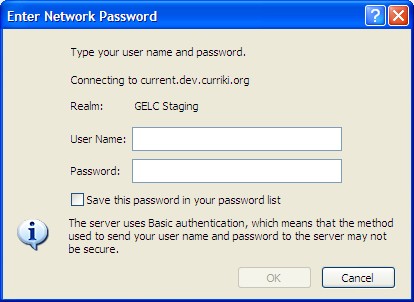
When I selected to play it, I was asked to log into the media server.
Attachments
Issue Links
- is related to
-
CURRIKI-5745 Edit Button missing in Groups for Added Docs
-
- Closed
-