Details
-
Bug
-
Resolution: Fixed
-
 Major
-
1.1
-
None
Description
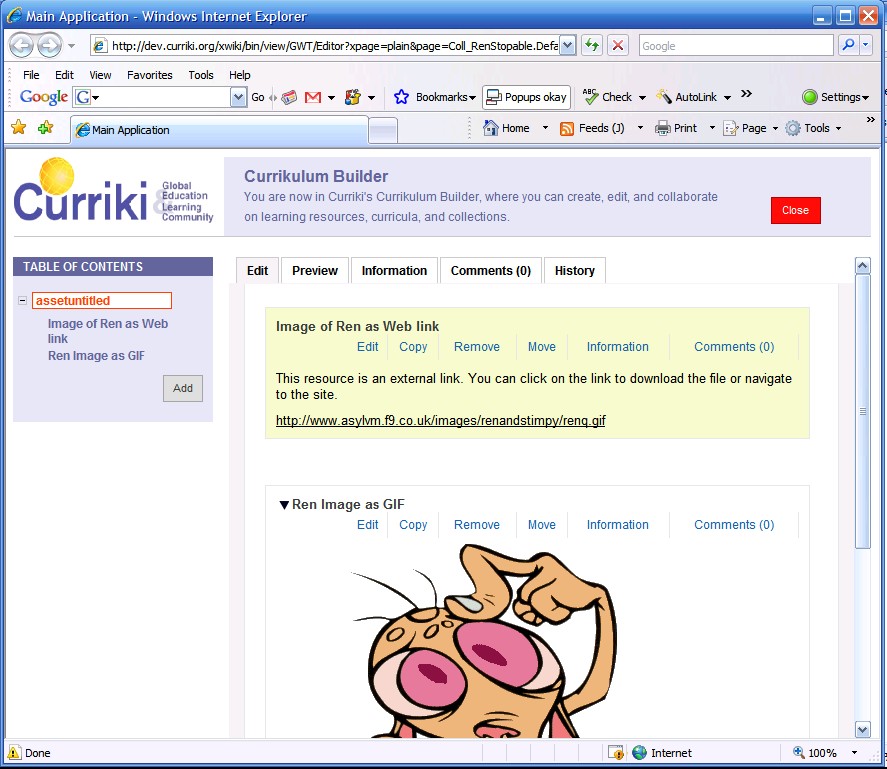
Create a collection with two source assets in it. edit it, then select (Don't edit, just select one ) so it is highlighted in the TOC tree, then click on the root of the collection again to highlight that in the tree and indicate it is selected. Now click on the "Information Tab" or the "Preview Tab" both show the info or view of the source asset not collection as the tree indicator would imply.
Also note in attached screen shot, when clicking on the collection in the TOC tree after selecting a source asset does not seem to deselect the source asset as it is still highlighted in the edit tab.