Uploaded image for project: '{RETIRED} Curriki'
  1. {RETIRED} Curriki
  2. CURRIKI-6700 Google Open ID is Expiring April 20
  3. CURRIKI-6717

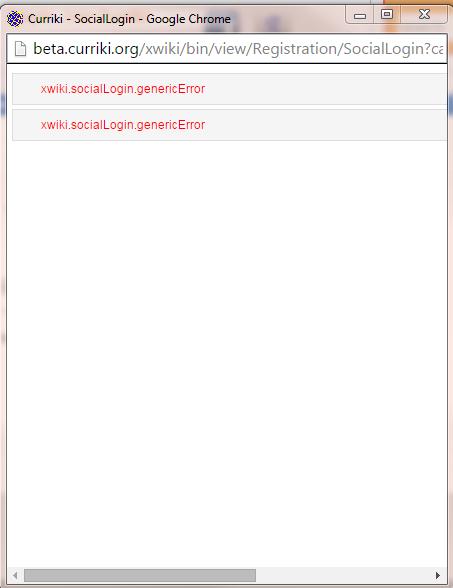
Google Open ID Cancelling gives Error when using Google to MERGE an account.

    XMLWordPrintable

Details

    • Sub-task
    • Resolution: Fixed
    • Major
    • 1.18
    • None
    • None

    Description

      1. Create an account first on Curriki, http://beta.curriki.org/xwiki/bin/view/MyCurriki/Profile?user=XWiki.TestingTodd5
      2. Then select Google icon
      3. Select the Google account that using the email address in step 1 above
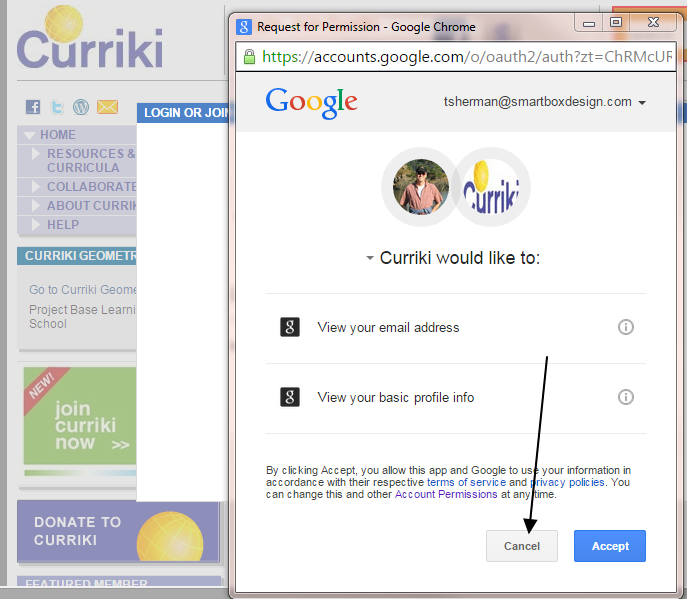
      4. Google will as for permission
      5. Select Cancel

      Bug
      Get Google error. This was tested on CHROME.

      See screenshots.
      Attachments

        Activity

          People

            polx Paul Libbrecht
            toddsherman Todd Sherman
            Votes:
            0 Vote for this issue
            Watchers:
            2 Start watching this issue

            Dates

              Created:
              Updated:
              Resolved: