Details
-
Sub-task
-
Resolution: Fixed
-
 Major
-
None
-
None
Description
1. Create a Curriki Account with an email used by Google+
2. Now select Google Icon
3. Select Google Account that is the same email address in step 1 above.
4. Finish online steps.
Bug
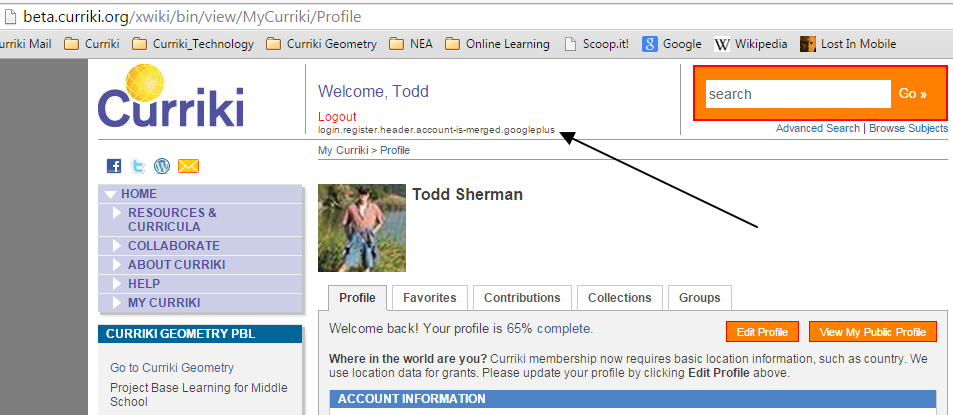
Extra text in header. See screenshot.
If you want to keep the text, please update the translation file.
"You can now login using your Google account."