Details
-
Bug
-
Resolution: Fixed
-
 Major
Major
-
2.4
Description
Problem
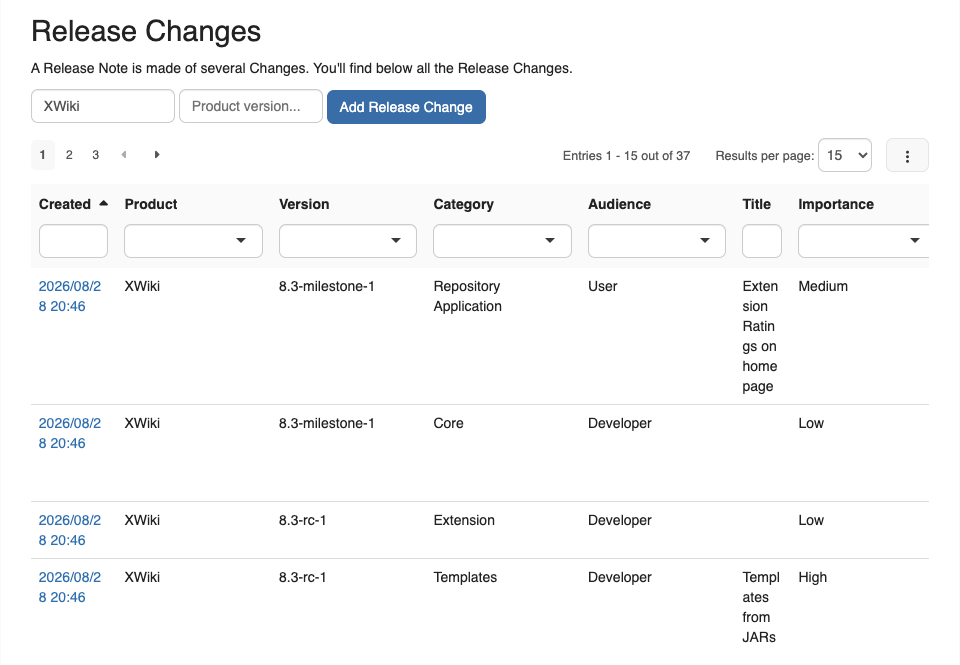
RN-75 replaced the LiveTable of the "Release Changes" section (ReleaseNotes.Code.HomeReleaseChanges) with a Live Data declaring eight columns: doc.creationDate, product, version, category, audience, title, importance and summary. Eight columns do not fit the content area of a standard page, and the result is unreadable:
- The "Summary" column is invisible. On a 1440px-wide browser the content column is about 900px while the table needs about 1570px, so the table overflows its container and "Summary" is entirely clipped out of view. Nothing indicates a column is missing, so the data simply looks absent.
- The "Title" column wraps mid-word. It is squeezed to roughly 55px, so a title renders one fragment per line, e.g. "Exten / sion / Ratin / gs on / home / page".
- Rows are about 140px tall. The wrapping of "Title" and the full free-text "Summary" drive the row height, so the default 15 rows take over 2000px of vertical space and the section dwarfs the rest of the home page.
Widening the browser does not fix it: at a 2400px viewport the table still needs more room than its container, and the row height is unchanged because "Summary" holds whole sentences.
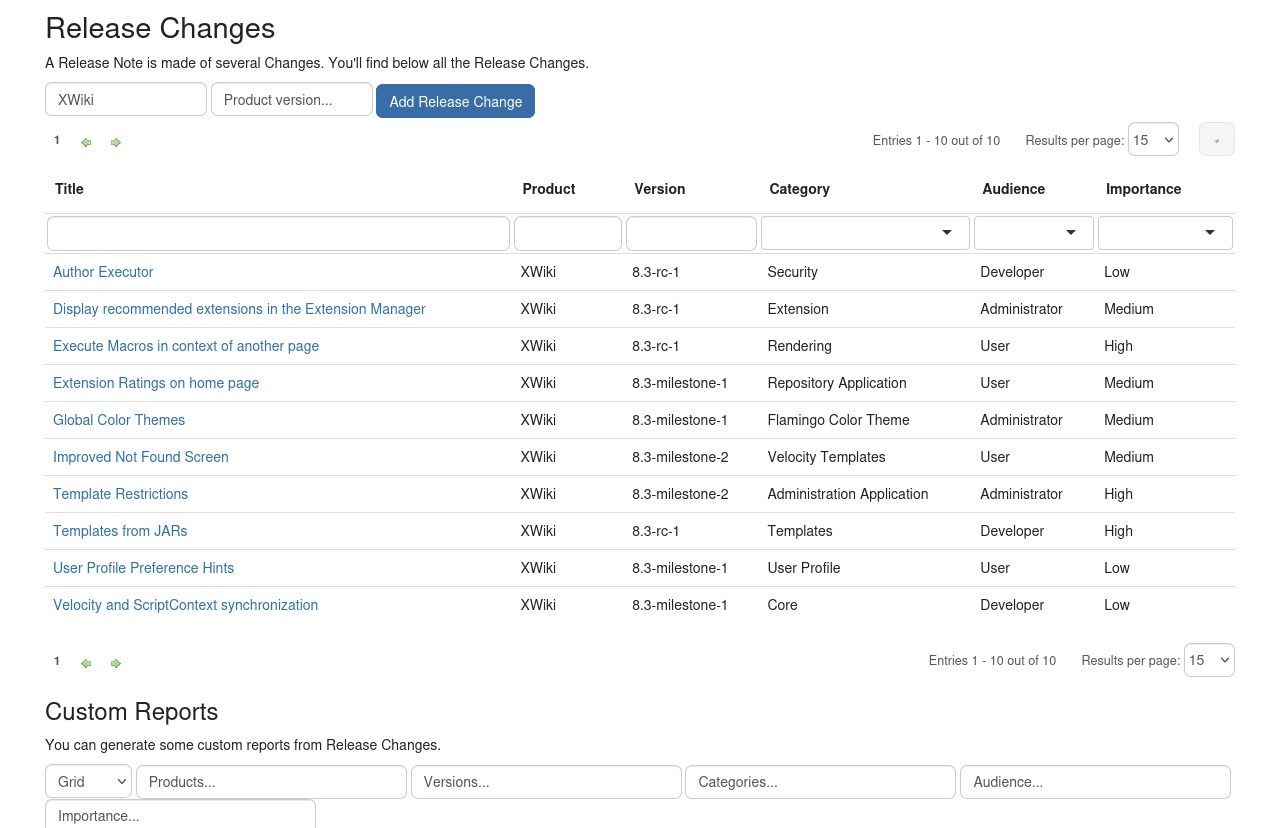
See the attached screenshot, which is also the one published on Access the Release Notes Application.
Proposal
Make the default column set fit the page. "Title" and "Summary" are both long free text and are the two that break the layout, so a reasonable default is to keep one of them and drop the other from the default properties list (a reader who wants it can add the column back from the Live Data column selector), and to give the remaining text column enough width not to wrap mid-word.