Details
-
Bug
-
Resolution: Unresolved
-
 Major
Major
-
None
-
11.1.4
-
None
-
Windows 11 Pro, Chrome 147, using an instance of XWiki 17.10.7 on Jetty/HSQL
-
Unknown
-
Description
Steps to reproduce
- Install JIRA CKEditor Integration
- Go to Administer Wiki > Editing > WYSIWYG Editor and paste the following in the Advanced Configuration section: config.extraPlugins = 'xwiki-jira-paste';
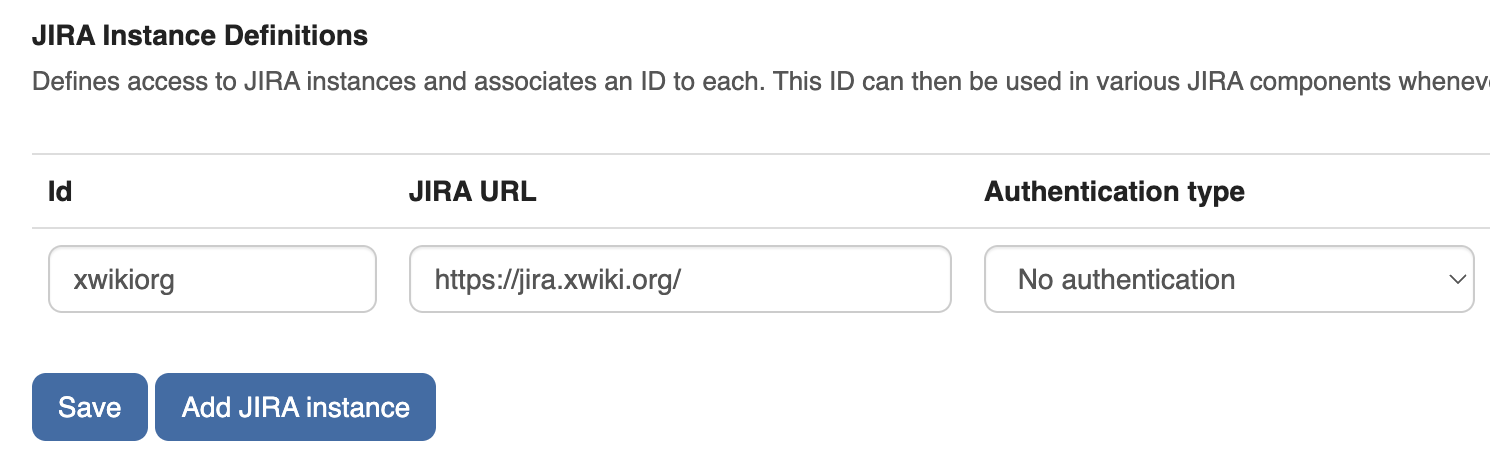
- Go to Administer Wiki > Other > JIRA and add a JIRA instance. For ex:
- Id: JIRA1 (or any other ID)
- JIRA URL: https://jira.xwiki.org/ (with / at the end)
- Click 'Save'
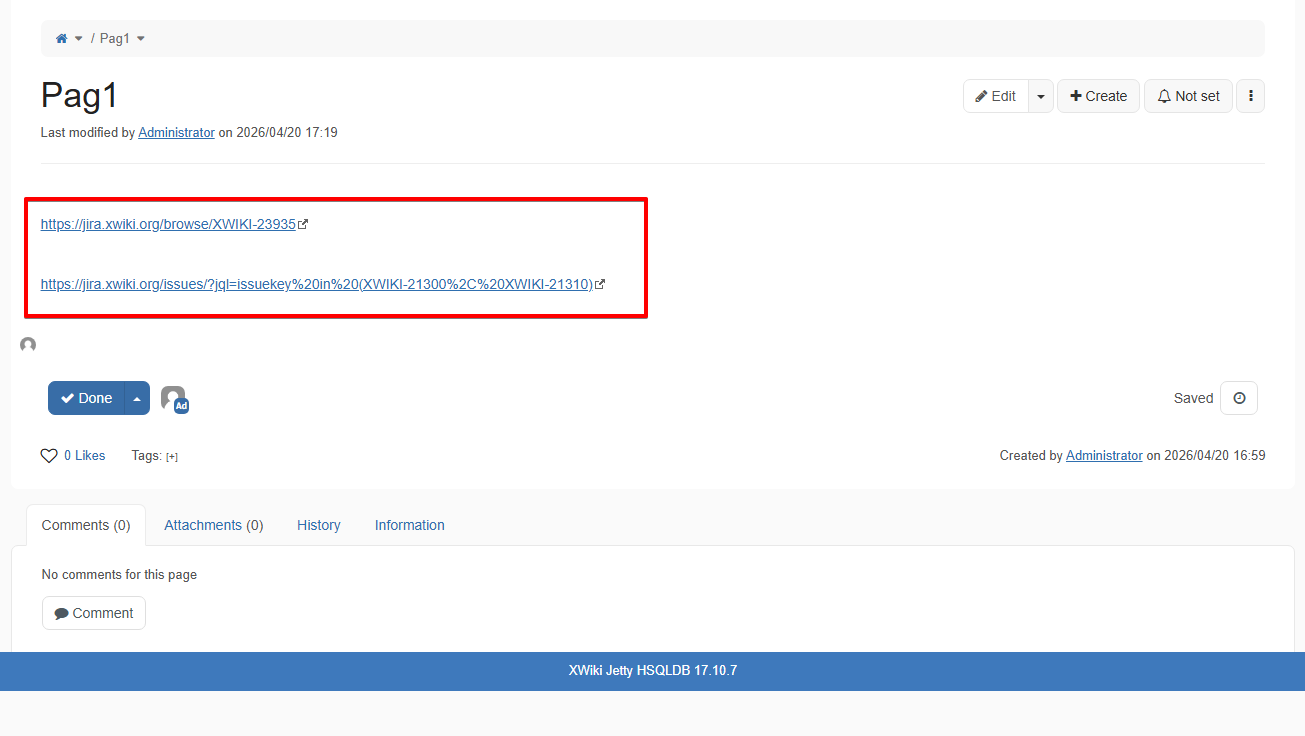
- Go to a page and insert a JIRA link, e.g. https://jira.xwiki.org/issues/?jql=issuekey%20in%20(XWIKI-21300%2C%20XWIKI-21310) or https://jira.xwiki.org/browse/XWIKI-23911
Expected results
The pasted JIRA link resulted in inserting automatically the JIRA macro containing the respective tickets.
Actual results
The JIRA link is pasted as a regular link.
The issue does not reproduce if the JIRA instance URL is configured without the slash at the end (e.g. https://jira.xwiki.org)