Details
-
Bug
-
Resolution: Fixed
-
 Minor
Minor
-
17.10.1, 17.10.2
-
XWiki version: 17.10.1
Wiki type: Sub-wiki
Flavor: Standard
OS: macOS Tahoe 26.2
Browser:
- Chrome 143.0.7499.170 (arm64)
- Safari 26.2
Editor: Wiki Editor
-
Unknown
-
N/A
-
N/A
-
Description
Description
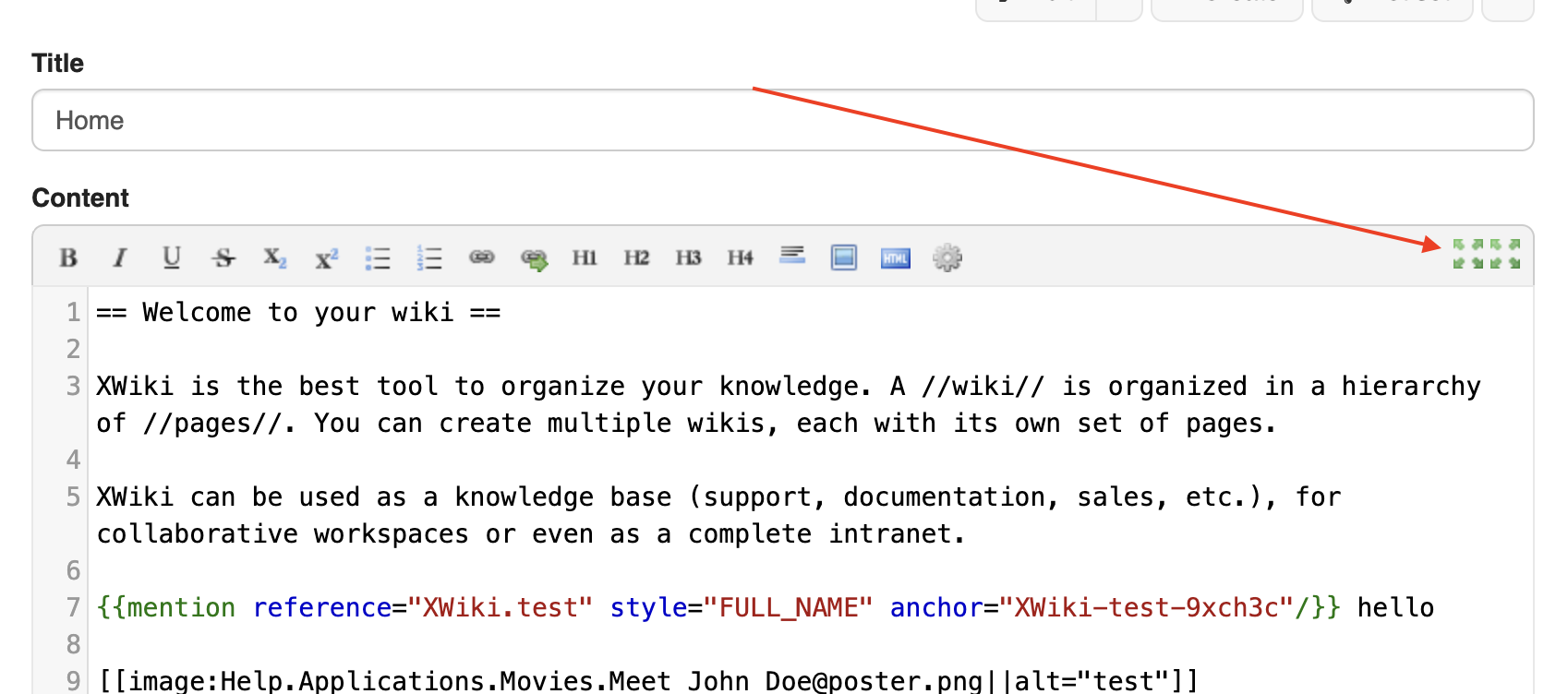
The wiki editor toolbar sometimes displays duplicated fullscreen buttons.
The behavior is non-deterministic and appears to be caused by a race condition during editor initialization, as it changes simply by reloading the same edit page.
The issue can be reproduced reliably by repeatedly reloading the editor page.
Steps to Reproduce
- Create a new sub-wiki using the standard flavor
- Open any page in wiki edit mode (/bin/edit)
- Reload the editor page multiple times
- Observe the editor toolbar and fullscreen behavior
Observed Results
- On many page loads, two fullscreen buttons are displayed in the editor toolbar
- On other page loads, only one fullscreen button is shown
- Reloading the same page toggles between both states
- When entering fullscreen mode, a duplicated fullscreen edit button remains visible in the fullscreen overlay (“fullscreen mirror”)
Case 1 – duplicated fullscreen button
Selector:
#xwikieditcontentinner > div.leftmenu2 > img.fullScreenEditButton
→ Two instances present simultaneously
Case 2 – fullscreen mode
Selectors:
#xwikieditcontentinner > div.leftmenu2 > img.fullScreenEditButton
#xwikieditcontentinner > div.leftmenu2 > img.fullScreenCloseButton
→ The fullscreen edit button remains visible next to the close button
Expected Results
- Exactly one fullscreen button should be displayed at all times
- When entering fullscreen mode, only the close button should be visible
- Editor initialization should be deterministic, independent of reload timing
Additional Notes
- Issue persists after hard refresh
- Observed only in the wiki editor, not in the object editor
Attachments
Issue Links
- is caused by
-
-

- Closed
-