Details
-
Bug
-
Resolution: Fixed
-
 Blocker
-
18.0.0
-
Windows 11 Pro, Firefox 150, using an instance of XWiki 18.0.0 on MySQL 9.7, Tomcat 11.0.22
-
Unknown
-
N/A
-
N/A
-
Description
Steps to reproduce
- Go to a page with text content (e.g. Sandbox)
- Select a word
- Press CTRL+M, add some annotation text
- Click 'Add annotation'
- Observe the color of the highlighted (annotated) word
- Edit the page and modify the annotated word (add/remove some letters)
- Save the page
- Enable annotations display and observe again the color of the highlighted (modified) word
Expected results
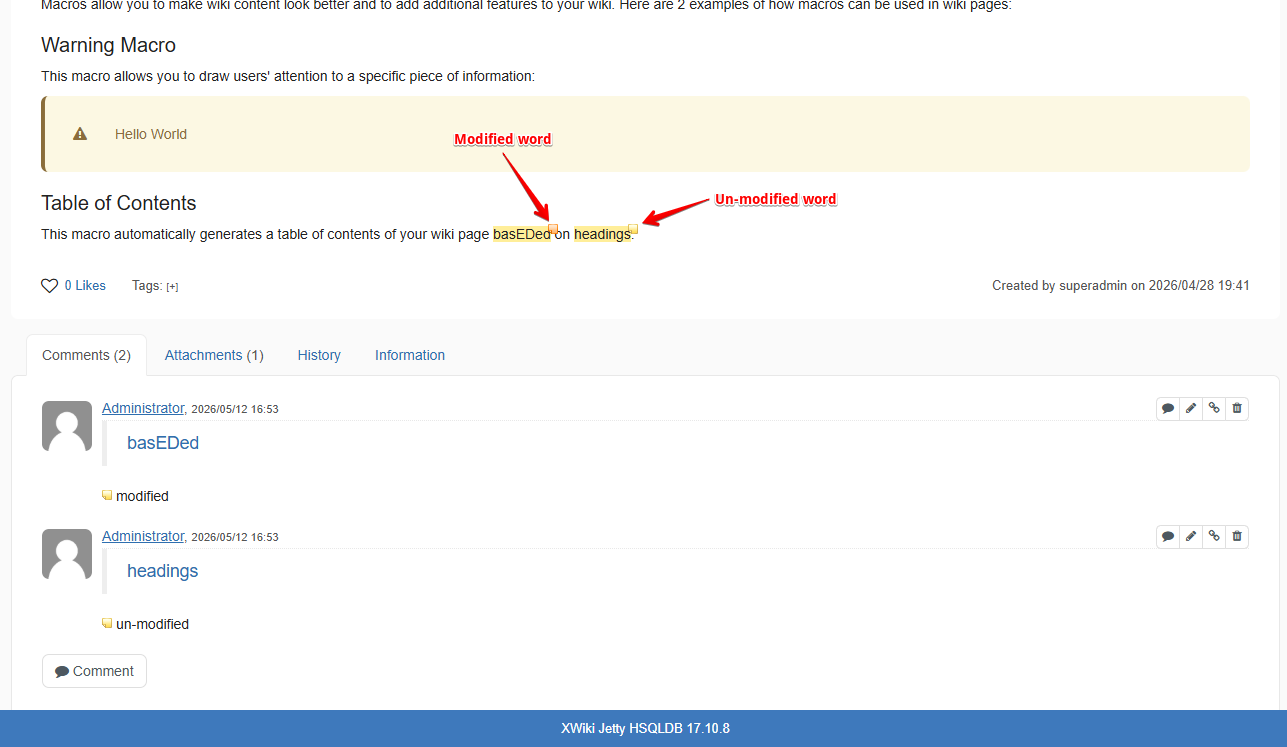
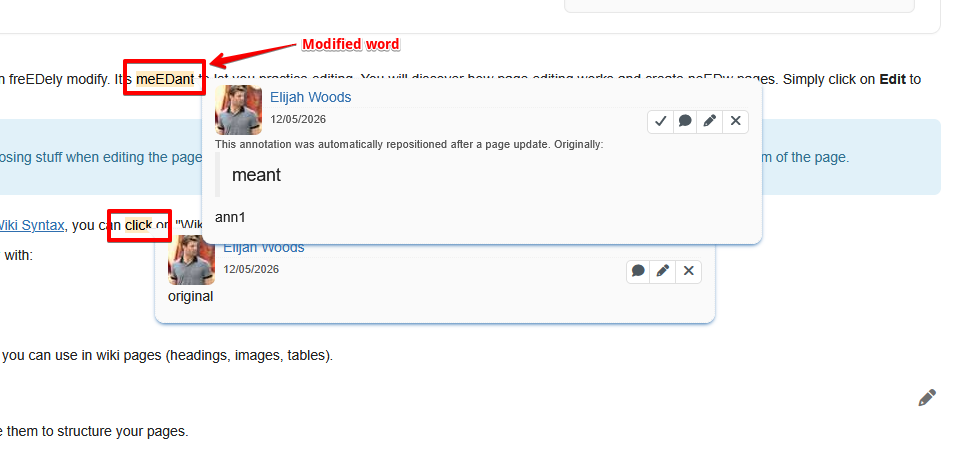
The highlight color of the modified word is different than the color of an un-modified word, to let the users know that there was a modification that needs to be reviewed.
Actual results
The highlight color of both modified and un-modified words is the same, therefore the users need to check all annotations on the page to see if a review is needed.
The issue was not present in XWiki 17.10.x, the color of the icon for an un-modified word was yellow and the icon's color for a modified word was orange (see the screenshot).
Attachments
Issue Links
- is caused by
-
XWIKI-23738 Improve the UI of Comments: No need for an icon for annotations
-

- Closed
-
- is related to
-
-
- Closed
-