Details
-
Bug
-
Resolution: Fixed
-
 Blocker
-
18.4.0
-
Windows 11 Pro, Chrome 149, Edge 149 and Firefox 151, using an instance of XWiki 18.4.0 on MariaDB 12.3, Tomcat 11.0.22, reproducible also on Jetty/HSQL
-
Unknown
-
N/A
-
N/A
-
Description
Steps to reproduce
The issue is visible especially when upgrading to XWiki 18.4.0.
- Create an older instance of XWiki with a subwiki (e.g. I've tested and reproduced with XWiki 12.10.11 Jetty/HSQL)
- Copy the data folder from this older instance into XWiki 18.4.0 instance folder (replace the existing one if exists) (optional, I also deleted the tmp folder)
- Start the XWiki 18.4.0 instance and access it in the browser
- Follow the Distribution Wizard until the upgrade is finished on Main Wiki as well as on subwiki
- Observe the side-buttons (e.g. on Later, Upgrade, Continue, etc)
Expected results
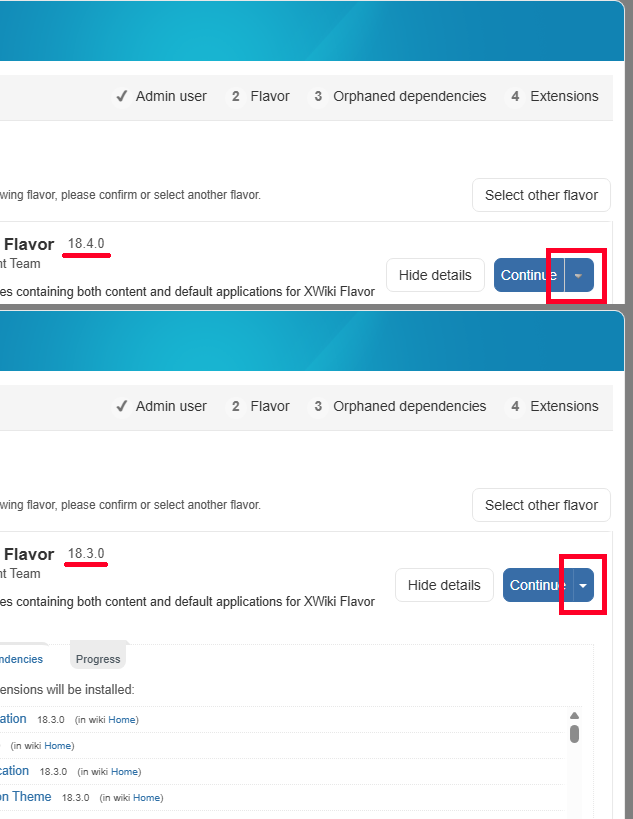
The side-buttons are displayed normally next to the right side of main buttons, having a similar shape.
Actual results
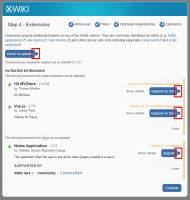
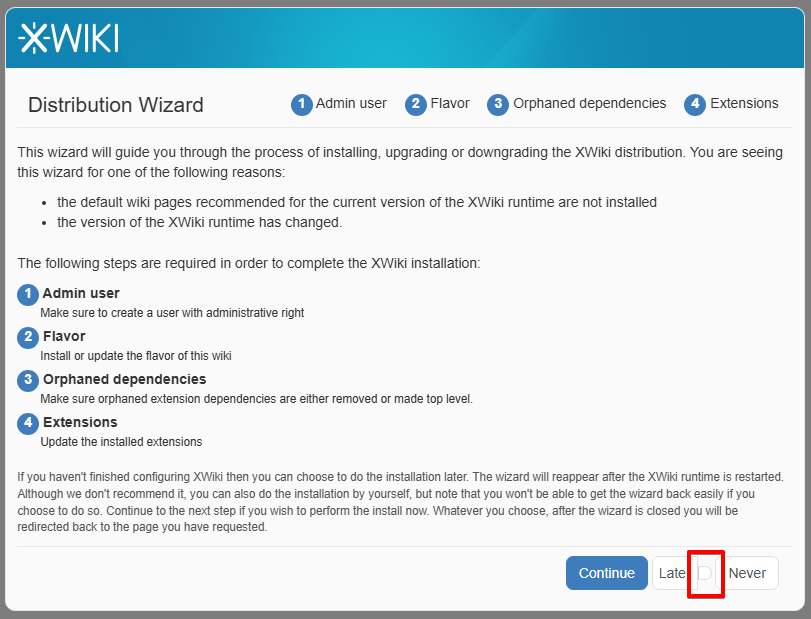
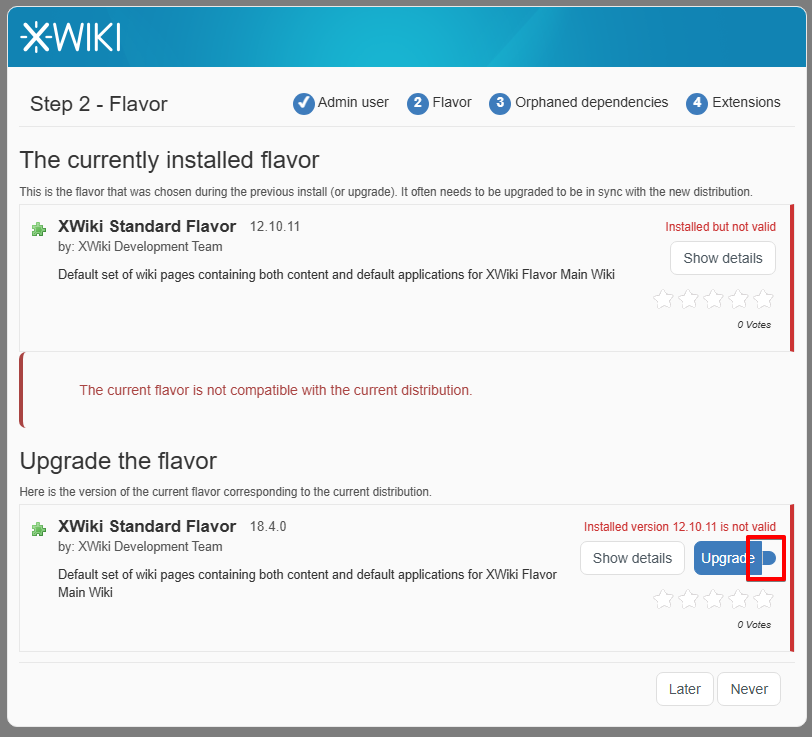
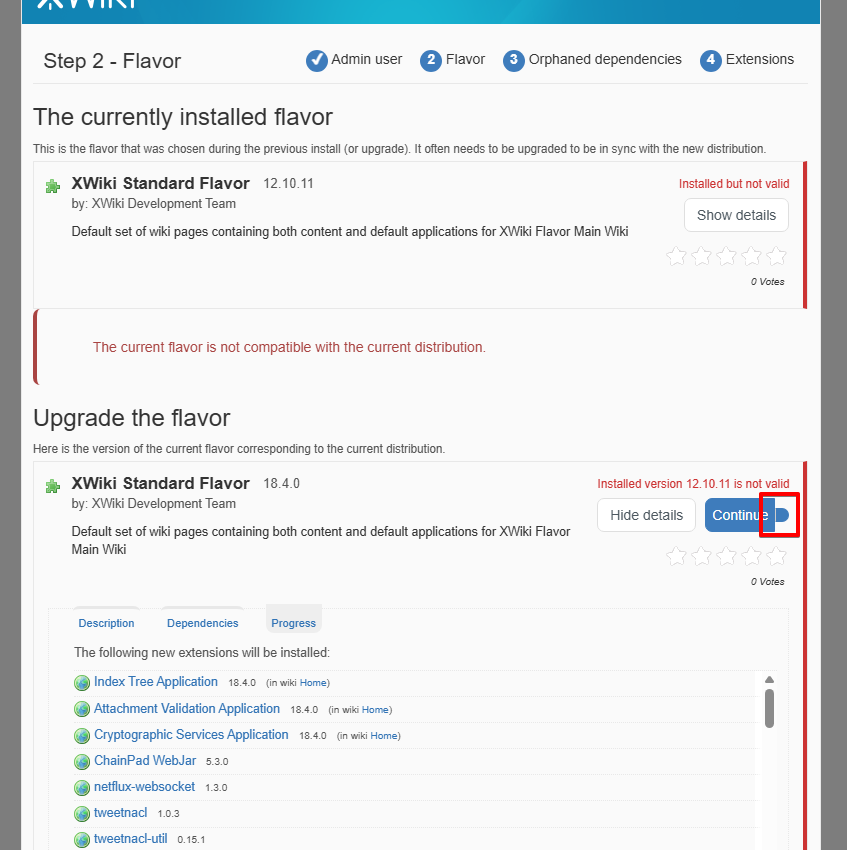
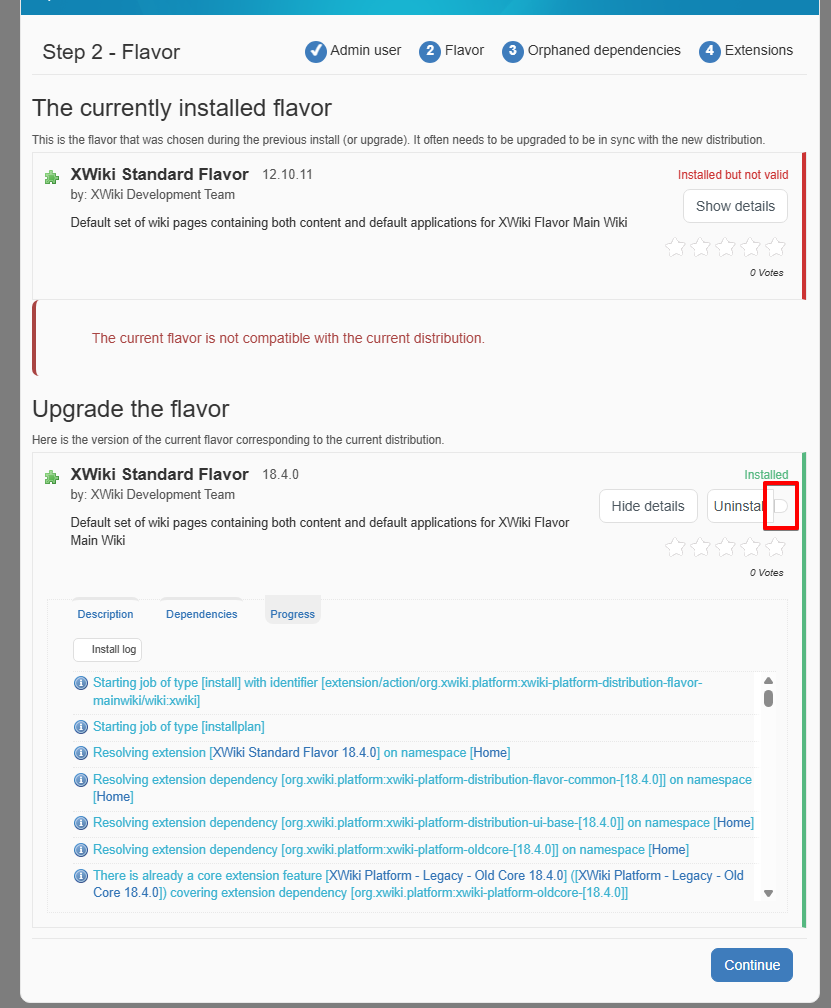
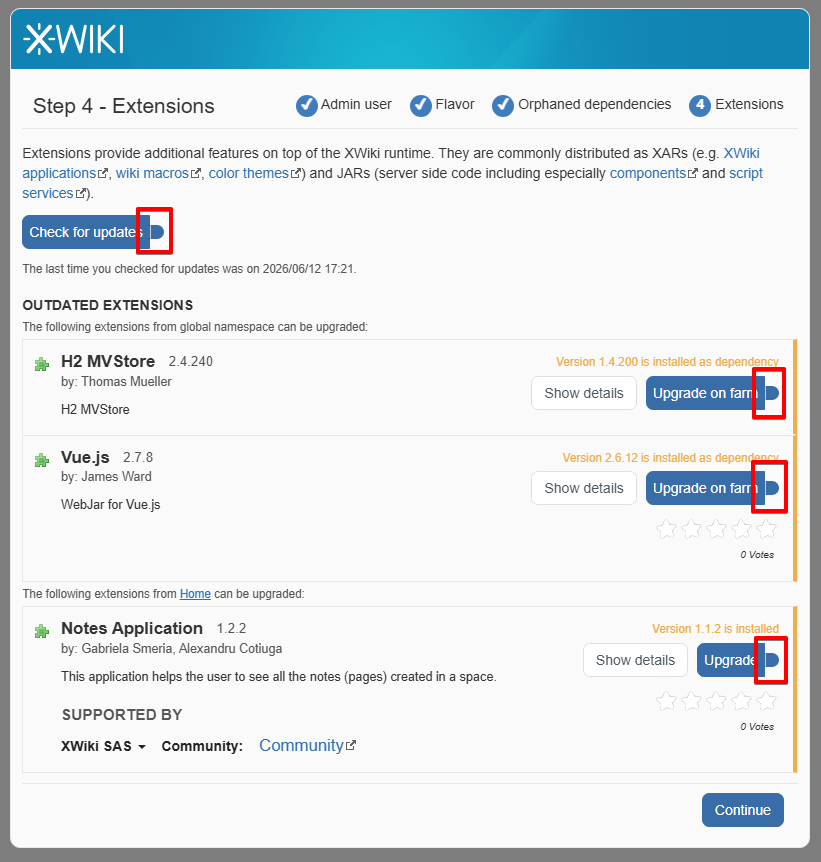
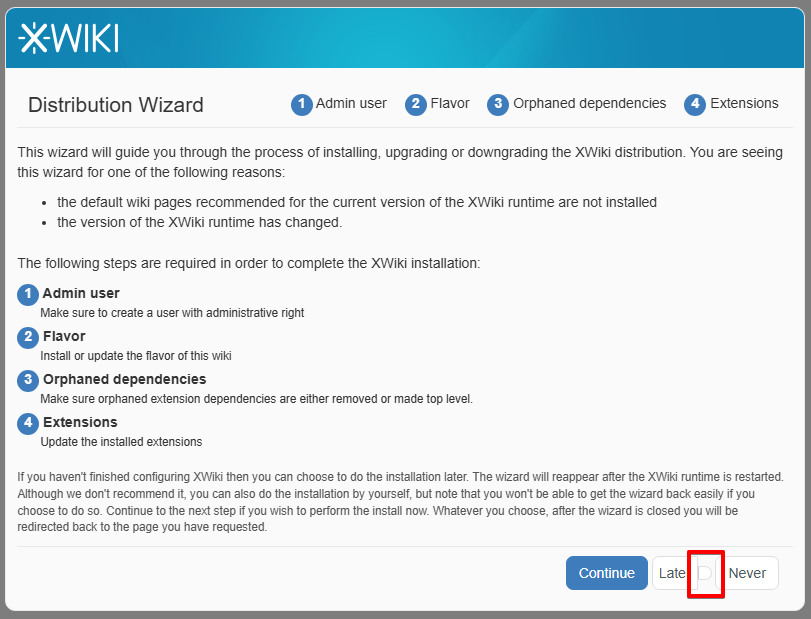
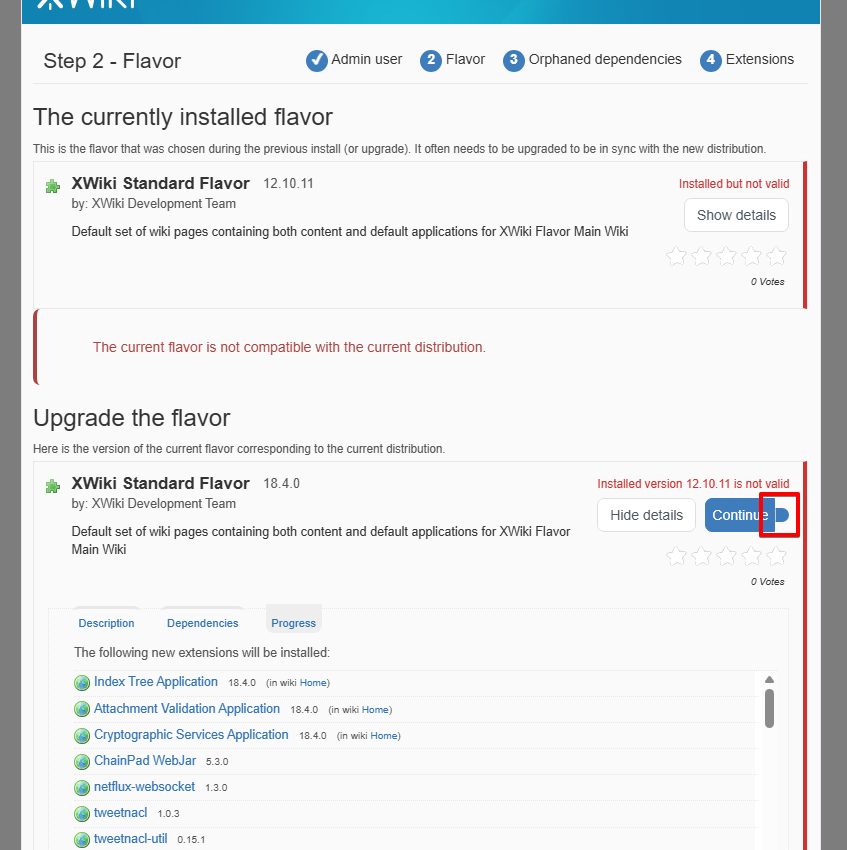
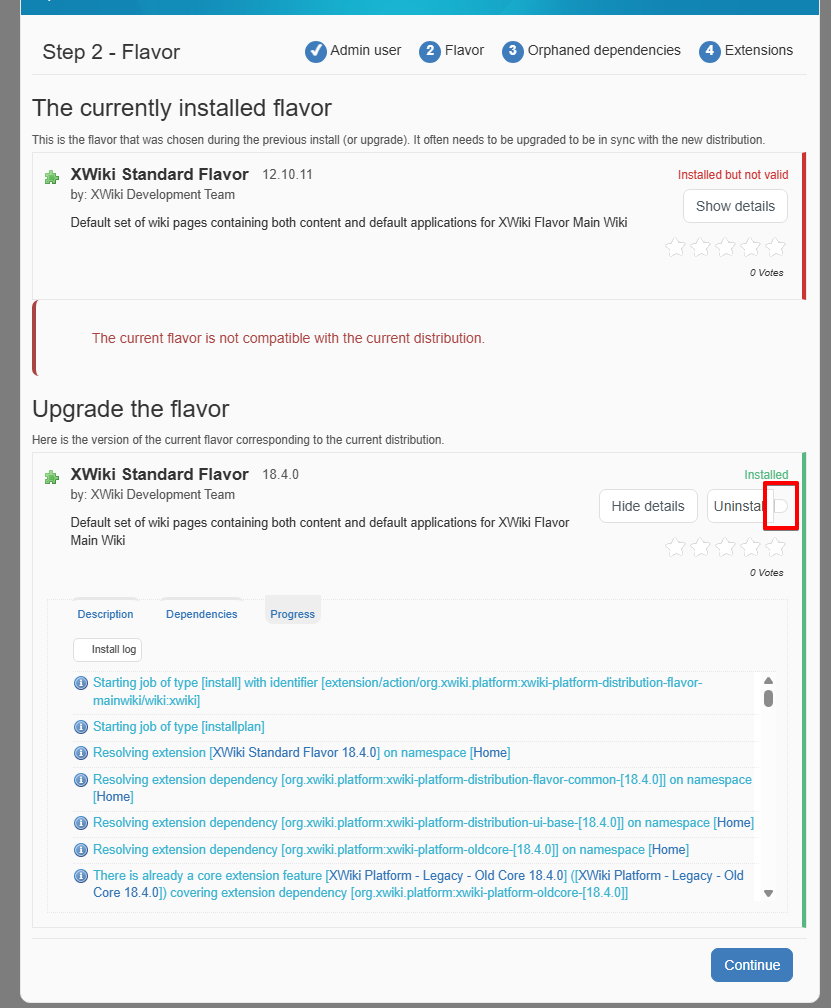
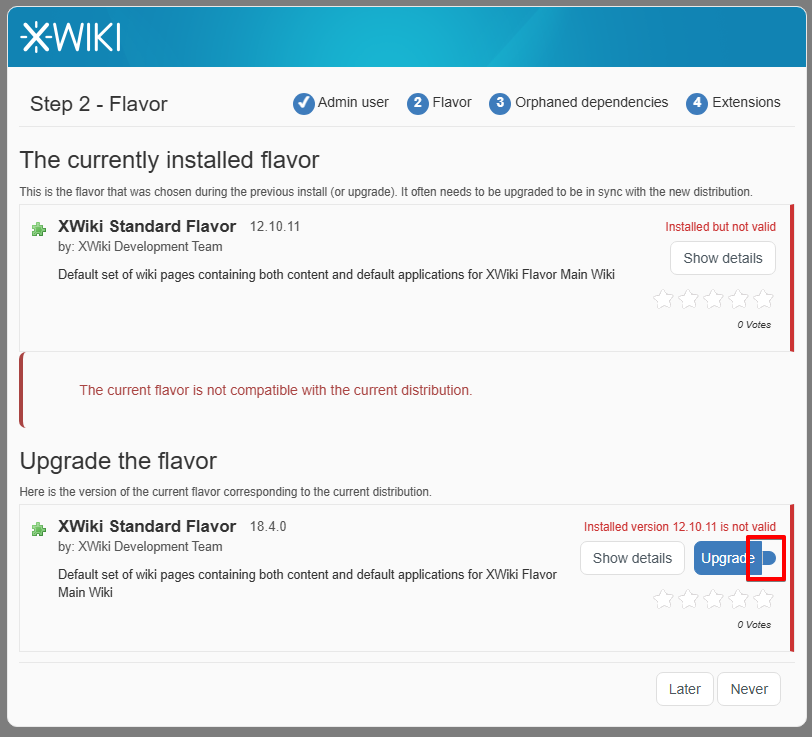
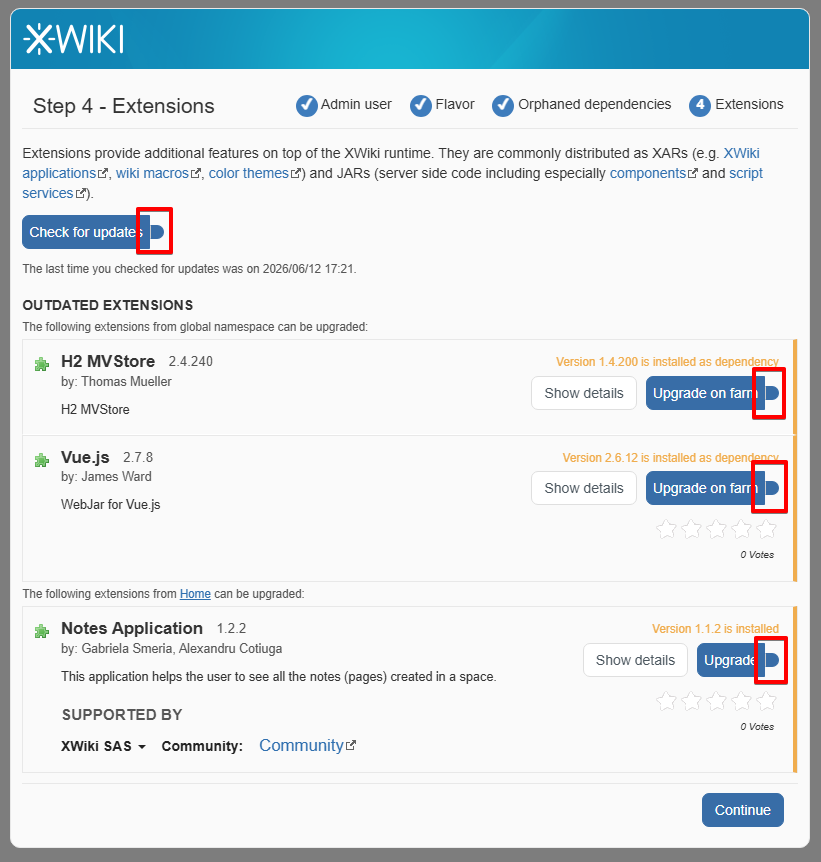
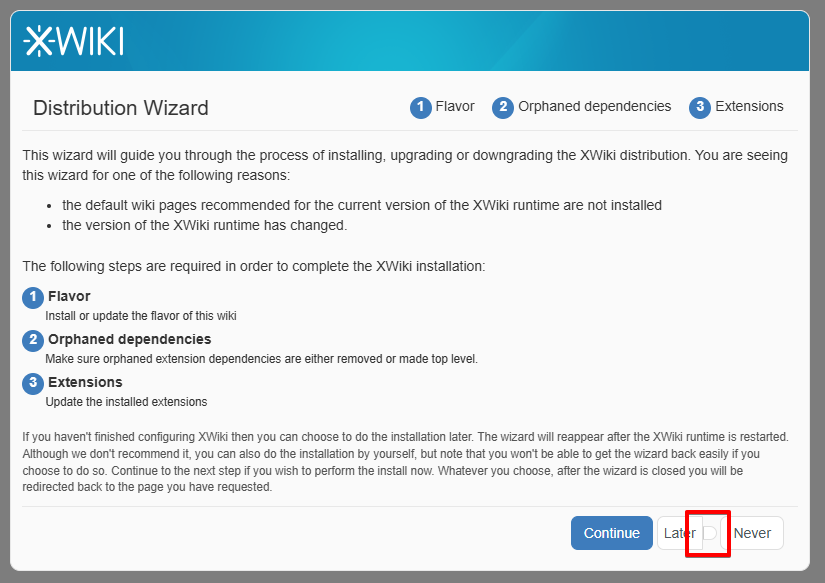
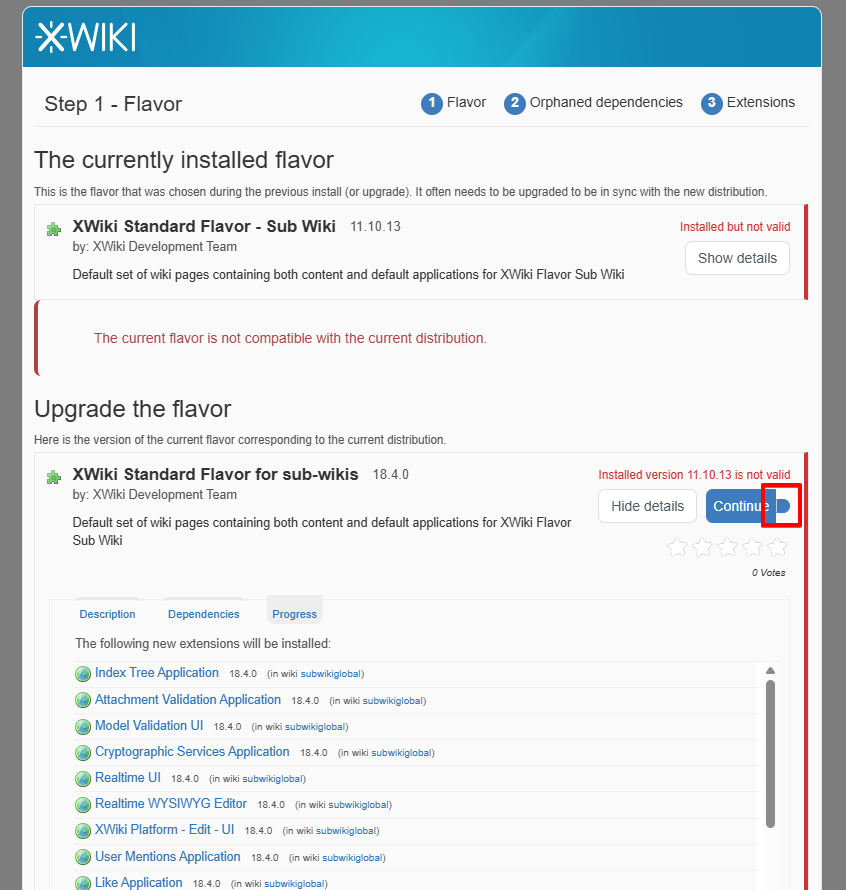
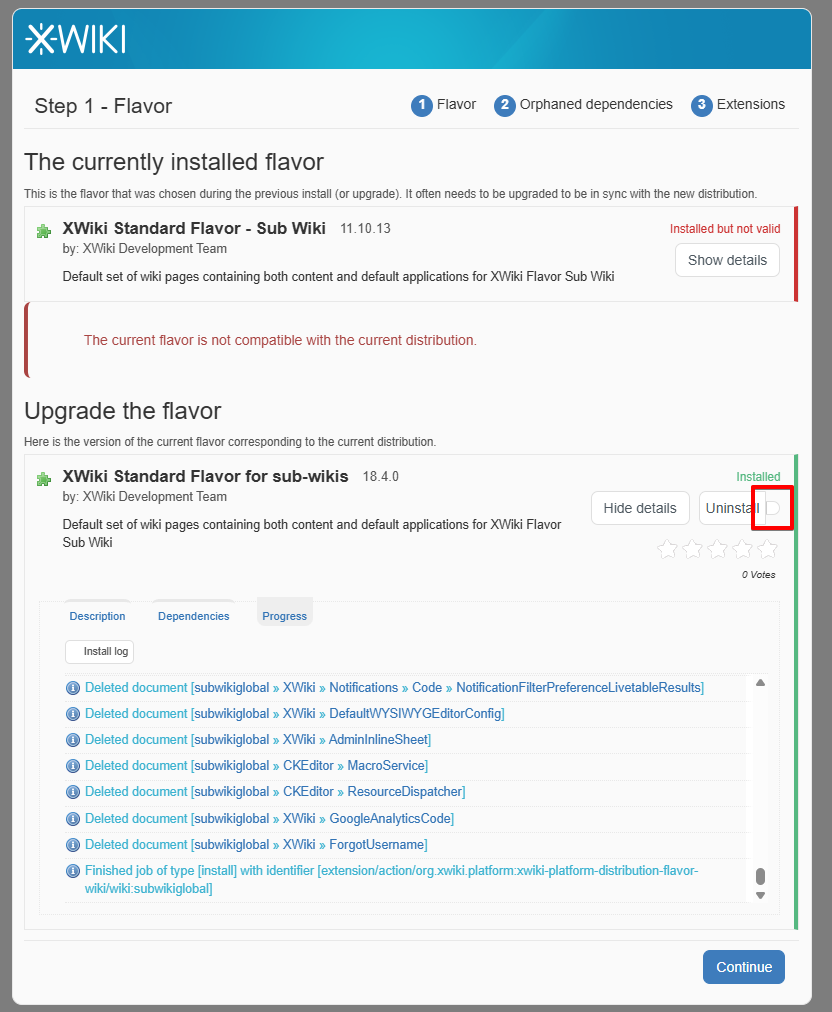
The side-buttons are displayed in the right side of the main buttons, but are very small and not having an icon.
Some of the affected side-buttons are:
On Main Wiki DW
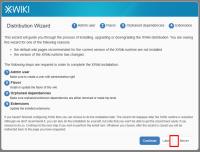
- Later side-button, on the first screen of DW
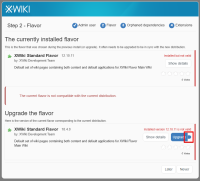
- Upgrade side-button, on Step 2 - Flavor
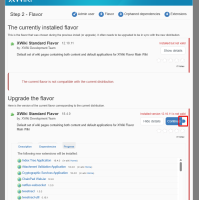
- Continue side-button, on Step 2 - Flavor
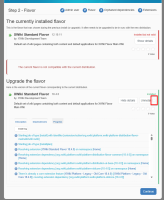
- Uninstall side-button, on Step 2 - Flavor
- Check for updates and Upgrade side-buttons from Step 4 - Extensions
On subwiki DW:
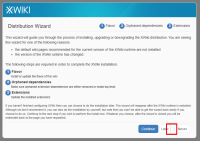
- Later side-button, on the first screen of subwiki's DW
- Continue side-button, on Step 1 - Flavor
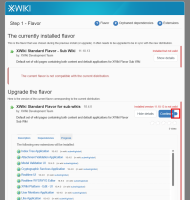
- Uninstall side-button, on Step 1 - Flavor
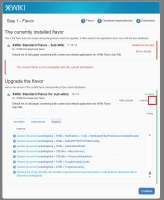
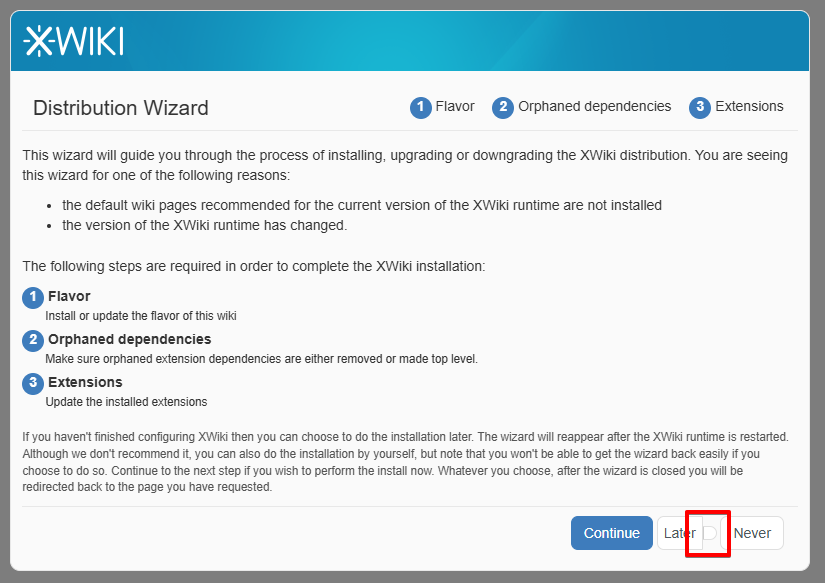
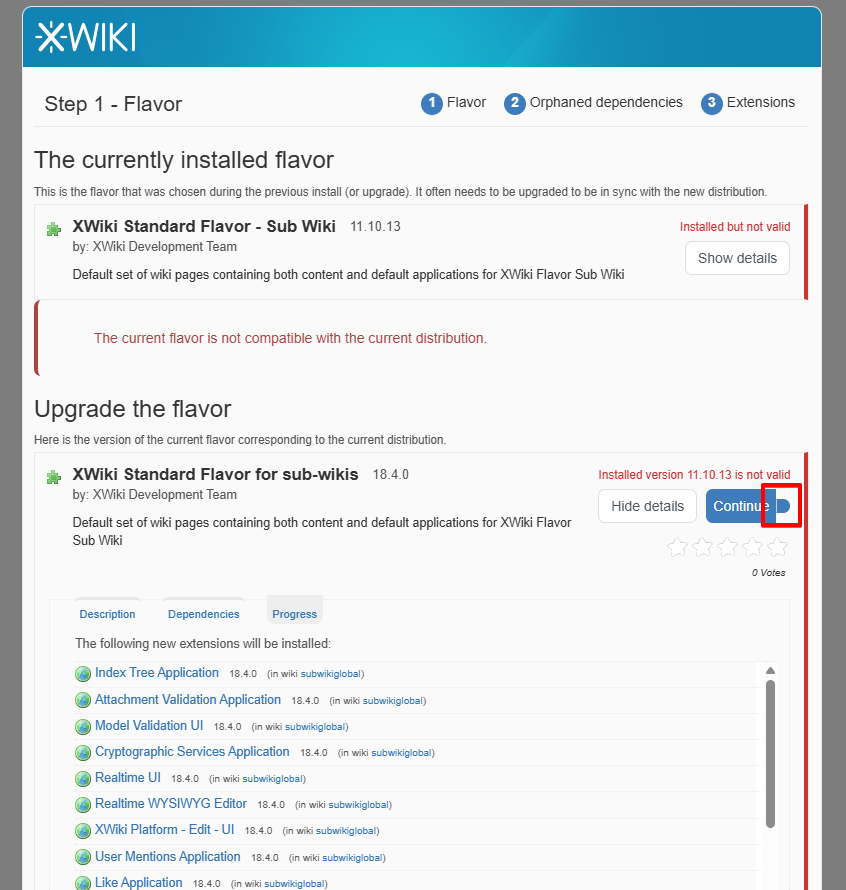
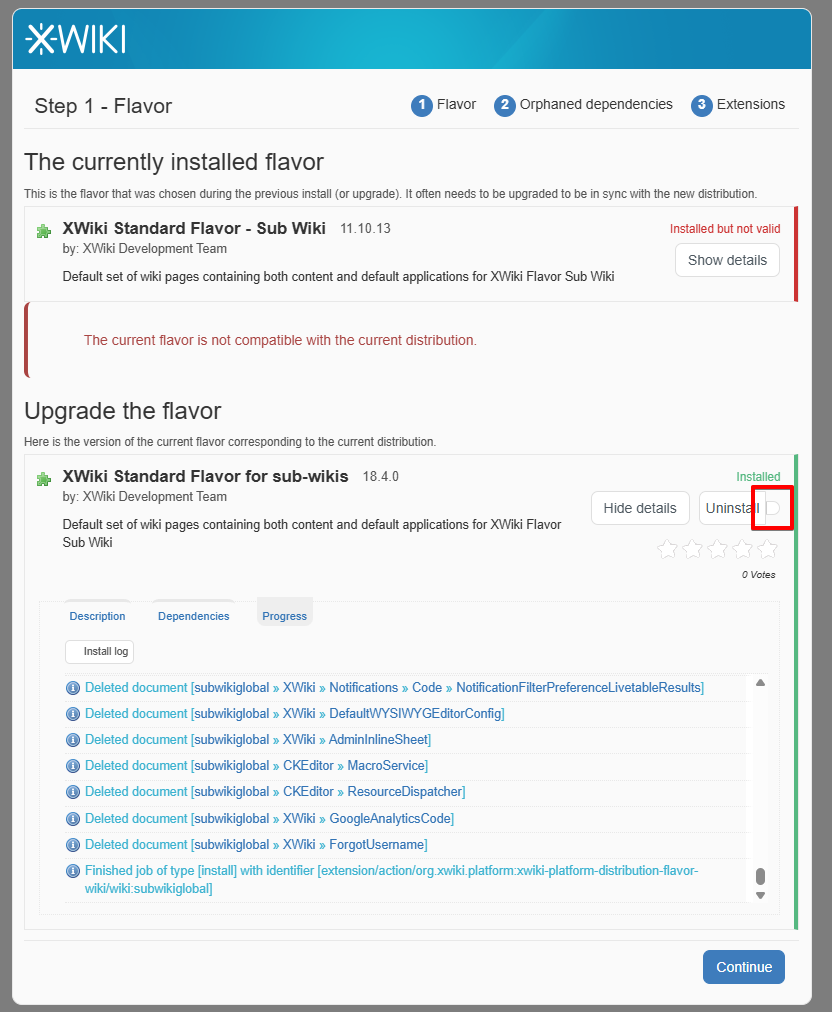
The changed shape of the side button can be observed when just creating an instance of XWiki 18.4.0:
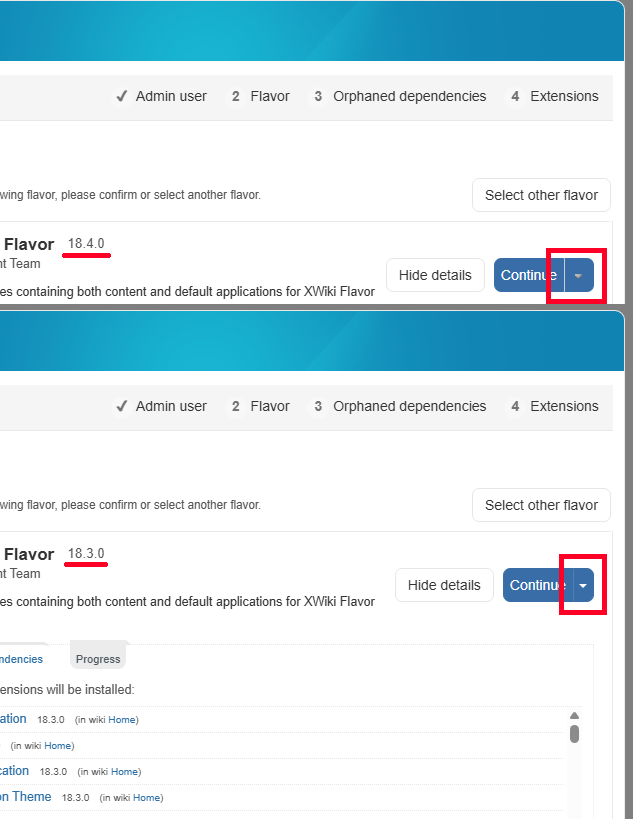
but the bigger problem can be observed when upgrading.
The issue could not be reproduced on XWiki 18.3.0 or XWiki 17.10.9.
Attachments
Issue Links
- is caused by
-
-
- Closed
-