Uploaded image for project: 'XWiki Platform'
  1. XWiki Platform
  2. XWIKI-24660

AWM: Default content image is not displayed when creating a new entry

    XMLWordPrintable

Details

    • Bug
    • Resolution: Unresolved
    • Major
    • None
    • 16.10.5
    • App Within Minutes
    • None
    • Windows 11 Pro, Chrome 151, Edge 151, PostgreSQL 17, Java 21
    • Unknown

    Description

      Steps to reproduce:

      1. Click on "More applications" and then on "Create your own!" in the Applications panel
      2. Click "Create Application"
      3. Type a name for your application
      4. Click "Next Step"
      5. Drag and drop the "Content" field
      6. Insert an image (upload from your computer)
      7. Click "Next Step"
      8. Click Finish
      9. Add an entry

      Expected Result:
      The uploaded image should be displayed in the Content field when creating a new entry.

      Actual Result:
      Instead of displaying the uploaded image, the application shows x.png.
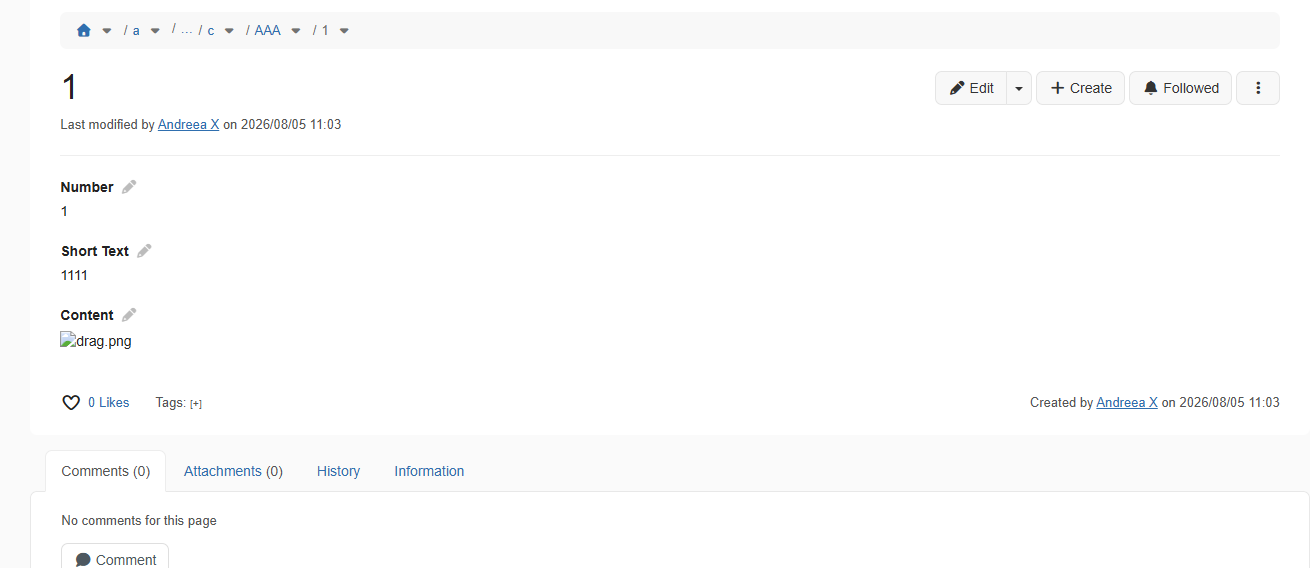
      Attachments

        1. image.png
          29 kB
          Andreea Tarata

        Activity

          People

            Unassigned Unassigned
            atarata Andreea Tarata
            Votes:
            0 Vote for this issue
            Watchers:
            0 Start watching this issue

            Dates

              Created:
              Updated: