Details
-
Bug
-
Resolution: Fixed
-
 Major
Major
-
17.10.13
-
Unknown
-
N/A
-
N/A
-
-
1.4.3 Contrast (Minimum)
Description
Steps to reproduce
- Go to the Notifications section of a user profile, or of the wiki administration.
- Disable only some of the event types of an application, e.g. disable the "Alert" toggle of the "A page is modified" event type of the "Pages" application.
Expected
The application-level toggle, which is now in the indeterminate (mixed) state, is readable and meets the WCAG 2 AA minimum contrast ratio of 4.5:1.
Actual
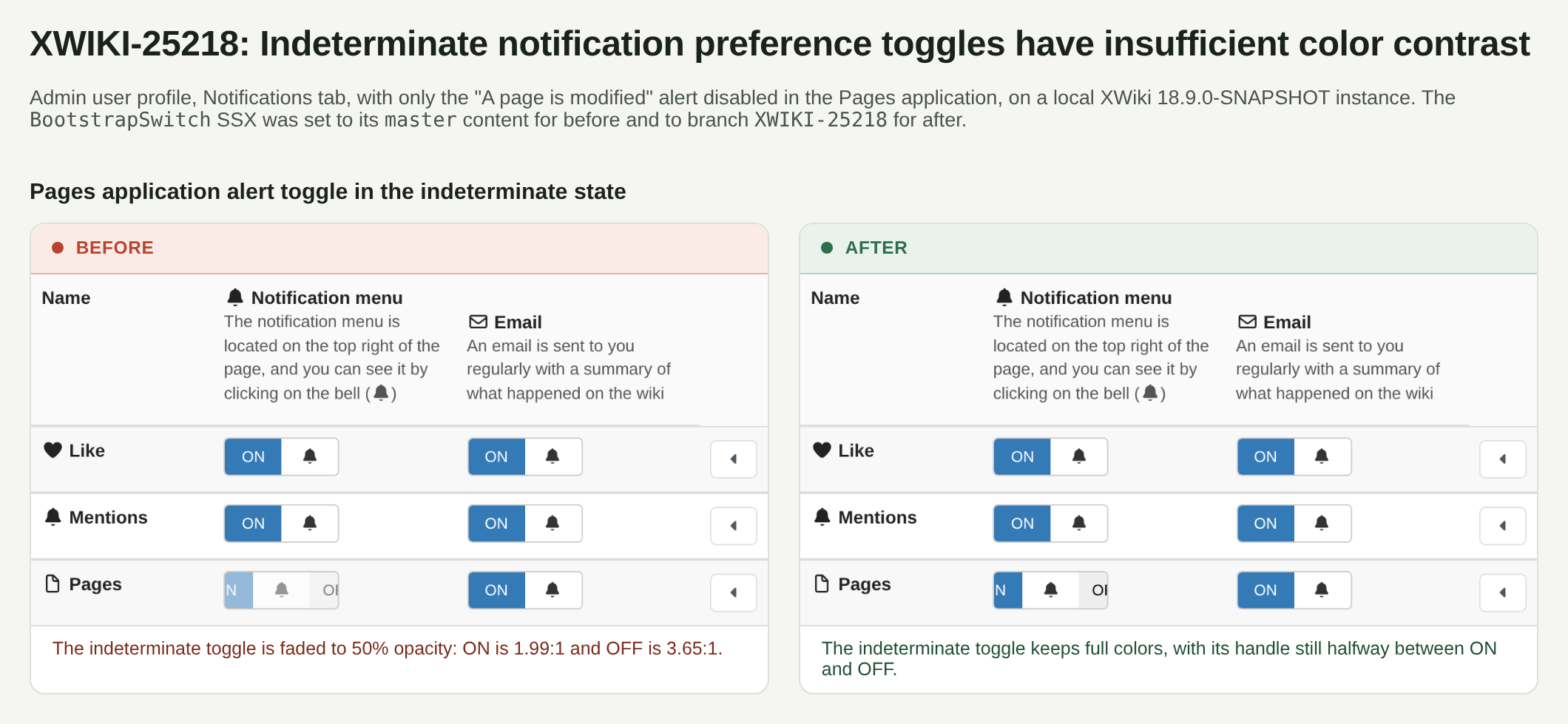
The indeterminate toggle is drawn at 50% opacity, so its ON/OFF texts are barely readable:
- ON: #e6eff6 on #99bddb, ratio 1.69:1
- OFF: #7e7e7e on #f7f7f7, ratio 3.78:1
The indeterminate state also looks the same as a disabled switch, so it suggests the toggle can't be used.
Notes
- The opacity comes from the Bootstrap Switch 3.3.4 stylesheet (css/bootstrap3/bootstrap-switch.css), which uses the same opacity: 0.5 rule for .bootstrap-switch-disabled, .bootstrap-switch-readonly and .bootstrap-switch-indeterminate.
- The state is set in XWiki.Notifications.Code.NotificationsApplicationsPreferencesMacro with bootstrapSwitch('indeterminate', true) when the event types of an application are mixed.
- The automated WCAG checks report it as a warning in NotificationsSettingsIT#globalAndOtherUserSettings and #customFiltersAndLiveData, see e.g. the wcagWarnings.txt artifact of Environment Tests master #1397.
- Possible fix: override the opacity for the indeterminate state in XWiki.Notifications.Code.BootstrapSwitch and give that state a visual cue that keeps enough contrast.