Details
-
Bug
-
Resolution: Unresolved
-
 Major
Major
-
None
-
17.10.14
-
None
-
Unknown
-
Description
Several JavaScript files served by the skin action render icons server-side with $services.icon, for example the section edit pencil in xwiki.js, the modal close icon in modalPopup.js, and icons in fullScreen.js, upload.js, tags.js, attachments/icons.js and xwiki.bundle.min.js. Their URL only carries cache-version (the file modification date) and the browser caches them, so the URL doesn't change when the icon theme changes.
Steps to reproduce
- Open a page with sections, e.g. Sandbox.WebHome, using the default Font Awesome icon theme.
- In Administration > Look & Feel > Presentation, switch the icon theme to Silk.
- Reload the page.
Expected
All icons use the Silk theme.
Actual
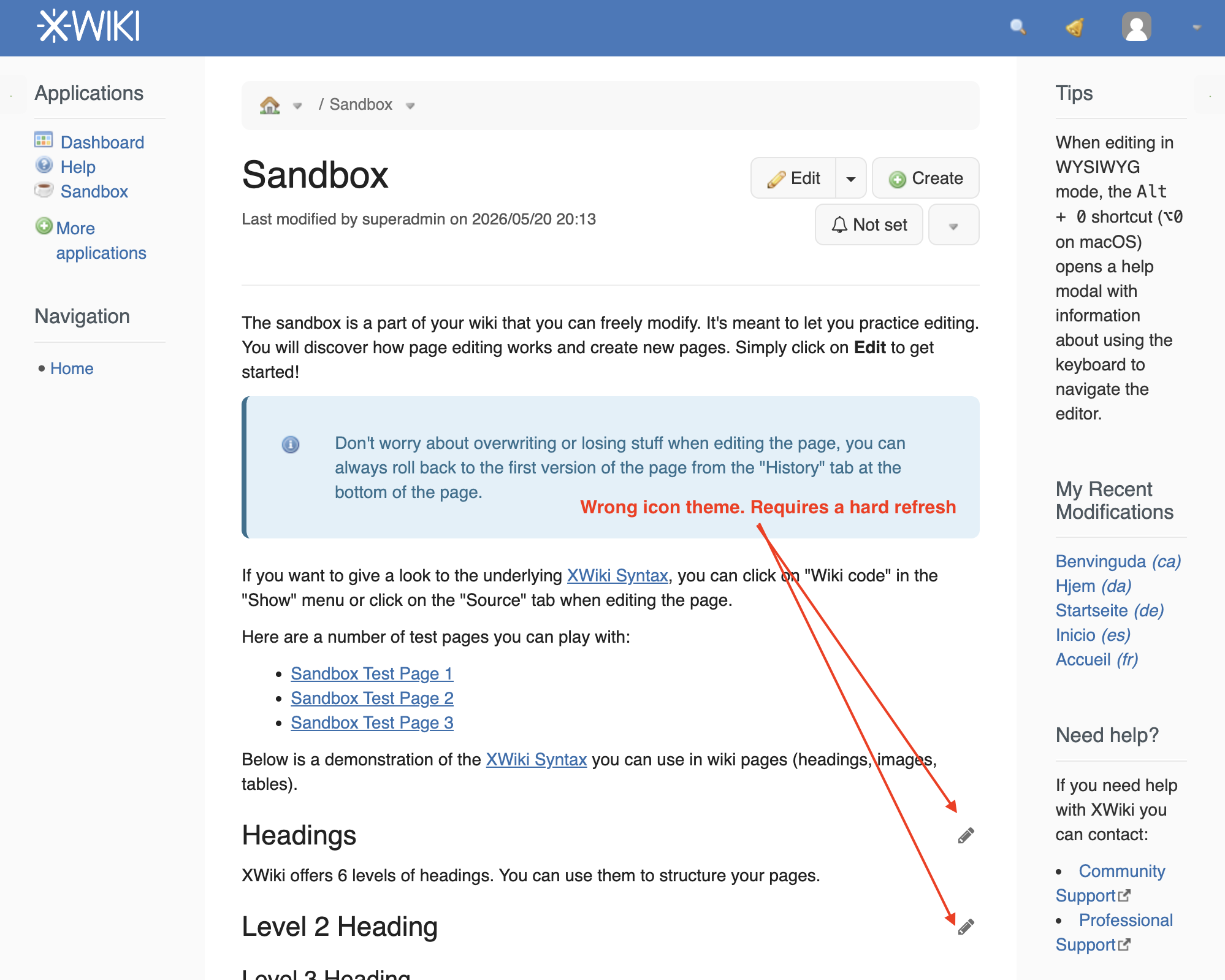
Most icons switch to Silk, but the section edit links still show the Font Awesome pencil (and other icons rendered in JavaScript keep the old theme) until a hard refresh of the browser or a browser cache clear. See 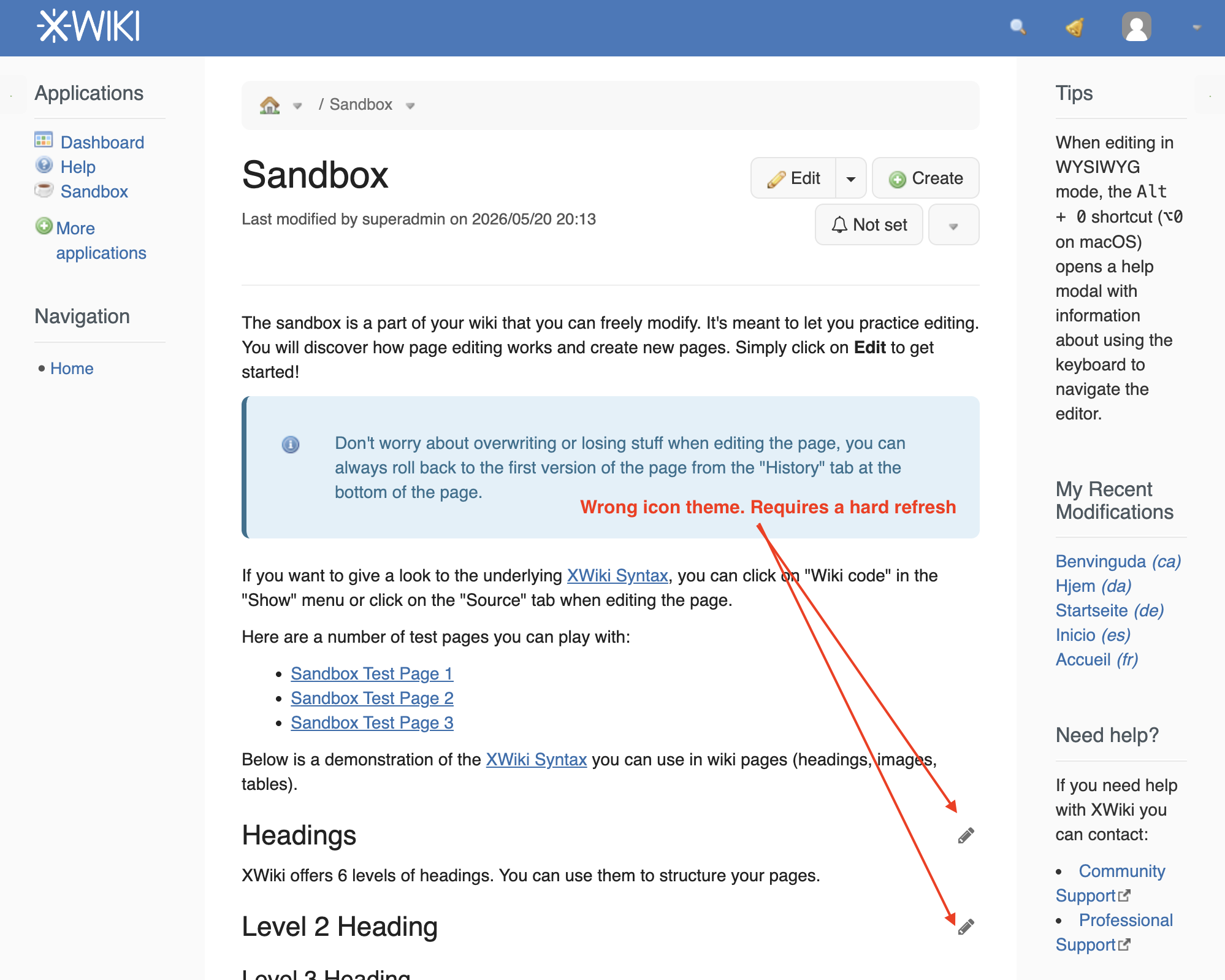
Possible fix
Color themes don't have this problem because the CSS is loaded with a colorTheme URL parameter, e.g. in javascript.vm:
$xwiki.ssfx.use('css/xwiki.bundle.min.css', {'forceSkinAction': true, 'colorTheme': $themeDoc, 'language': $xcontext.locale})
A possible fix is to add the current icon theme to the URL of the resources evaluated by the skin action, ideally centrally (e.g. in AbstractSkinExtensionPlugin#getSkinFileURL) rather than on each jsfx.use call, so that it also covers resources added later and those of extensions.
Attachments
Issue Links
- is related to
-
-
- Closed
-