Details
-
Bug
-
Resolution: Unresolved
-
 Major
-
None
-
18.0.0
-
Windows 11 Pro, Edge 156, using an instance of XWiki 18.4.7 on PostgreSQl 17, Tomcat 11
-
Unknown
-
Description
Steps to reproduce
- Create an older XWiki instance with an old flavor in order to be installed (e.g. XWiki 8.4.6)
- Upgrade this instance to a newer XWiki version (18.x, e.g. 18.4.7)
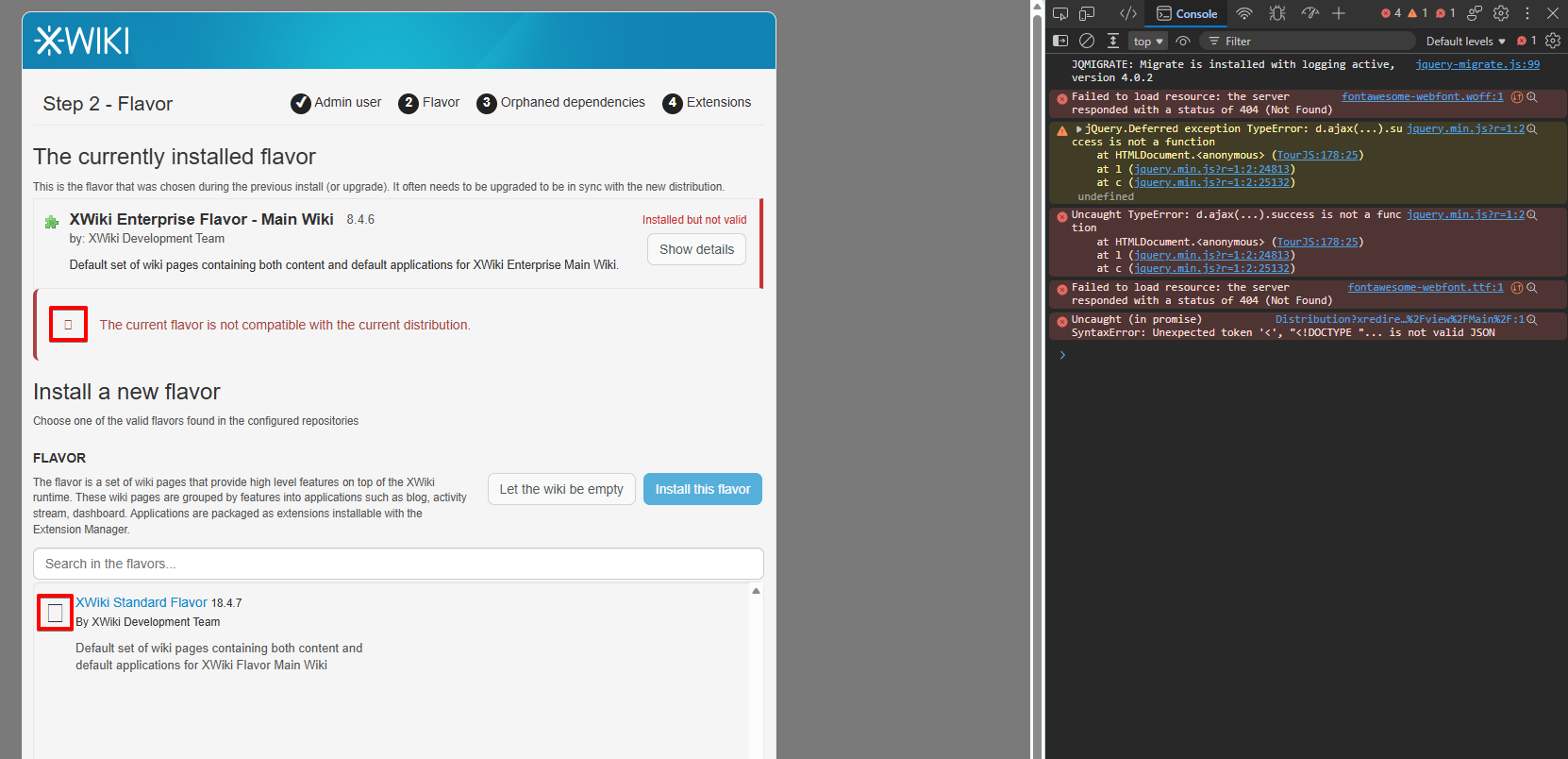
- At Step 2 of the Distribution Wizard, observe the icons displayed (the exclamation sign on the Error Message macro and the Earth globe icon on the flavor to upgrade)
Expected results
The icons are displayed as expected.
Actual results
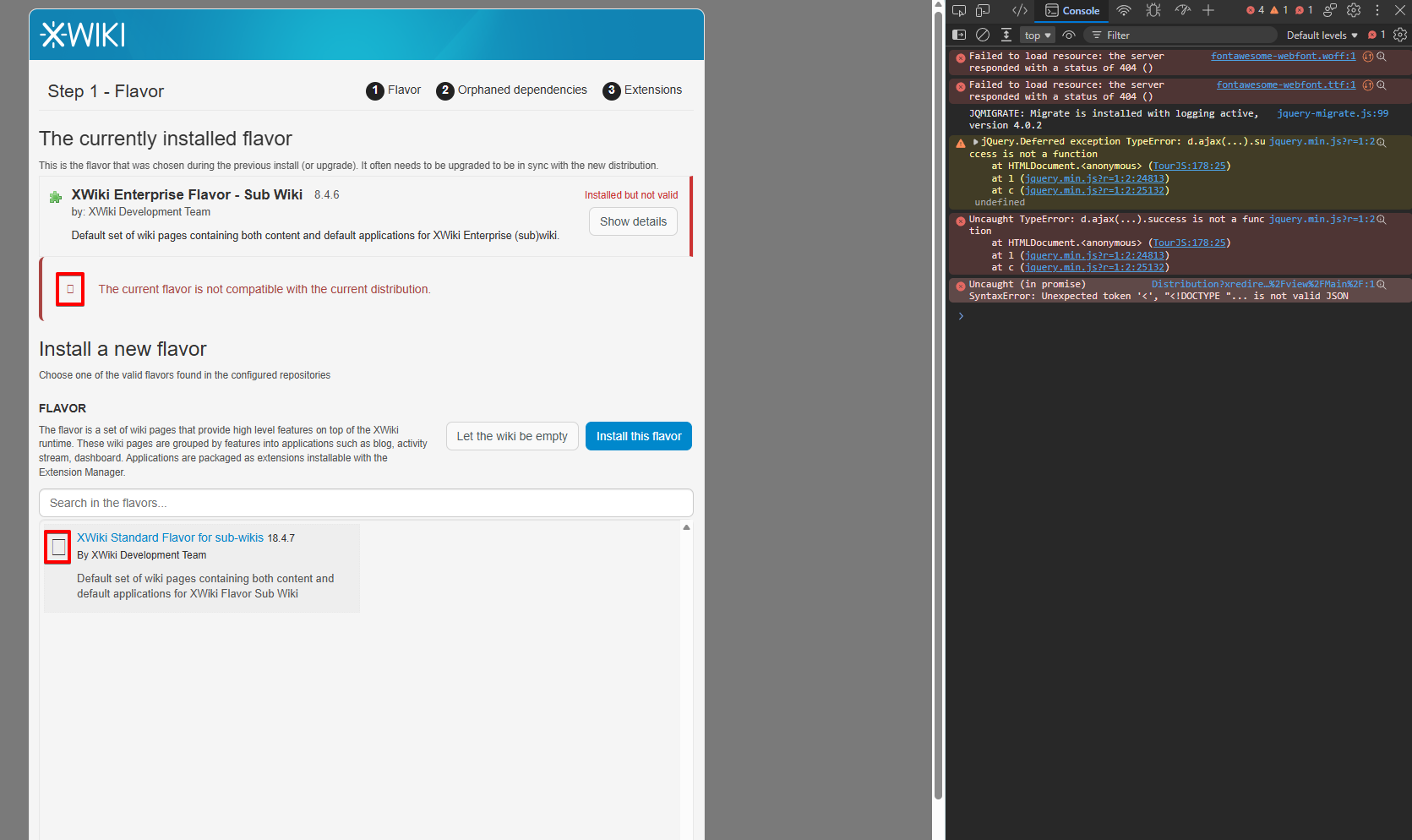
The icons appear as broken, being displayed as rectangular shapes.
In JS console, there is the following error:
Failed to load resource: the server fontawesome-webfont.ttf:1 responded with a status of 404 (Not Found)
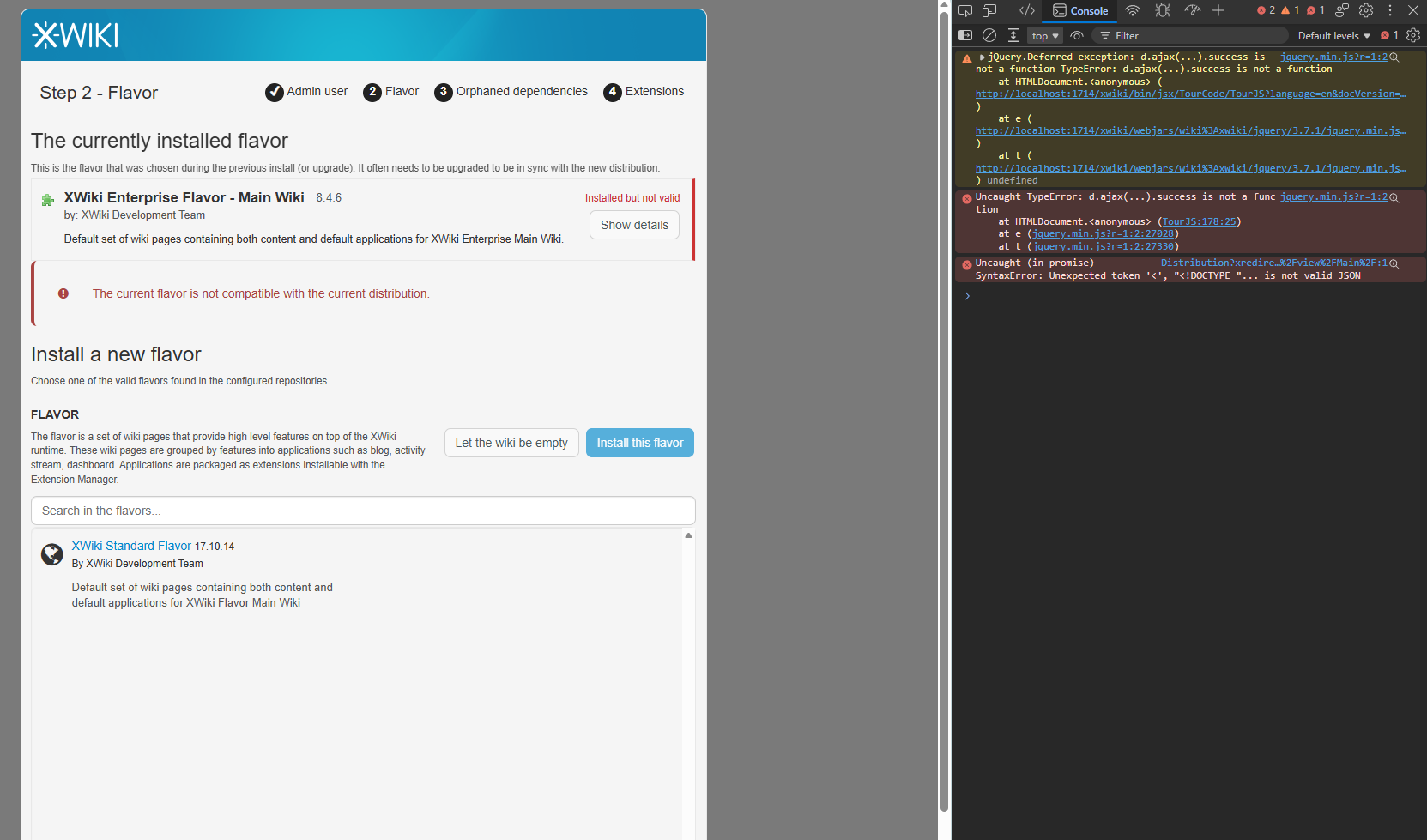
The issue could not be reproduced when upgrading XWiki 8.4.6 to 17.10.14.