Details
-
Bug
-
Resolution: Unresolved
-
 Major
-
None
-
18.0.0
-
None
-
Unknown
-
Description
The BlockNote editor lets users pick a text color and a background color. The color is saved in the page content, but it is not loaded back when the page is edited again.
Steps to reproduce
- Make BlockNote the default WYSIWYG editor.
- Edit a page and type some text.
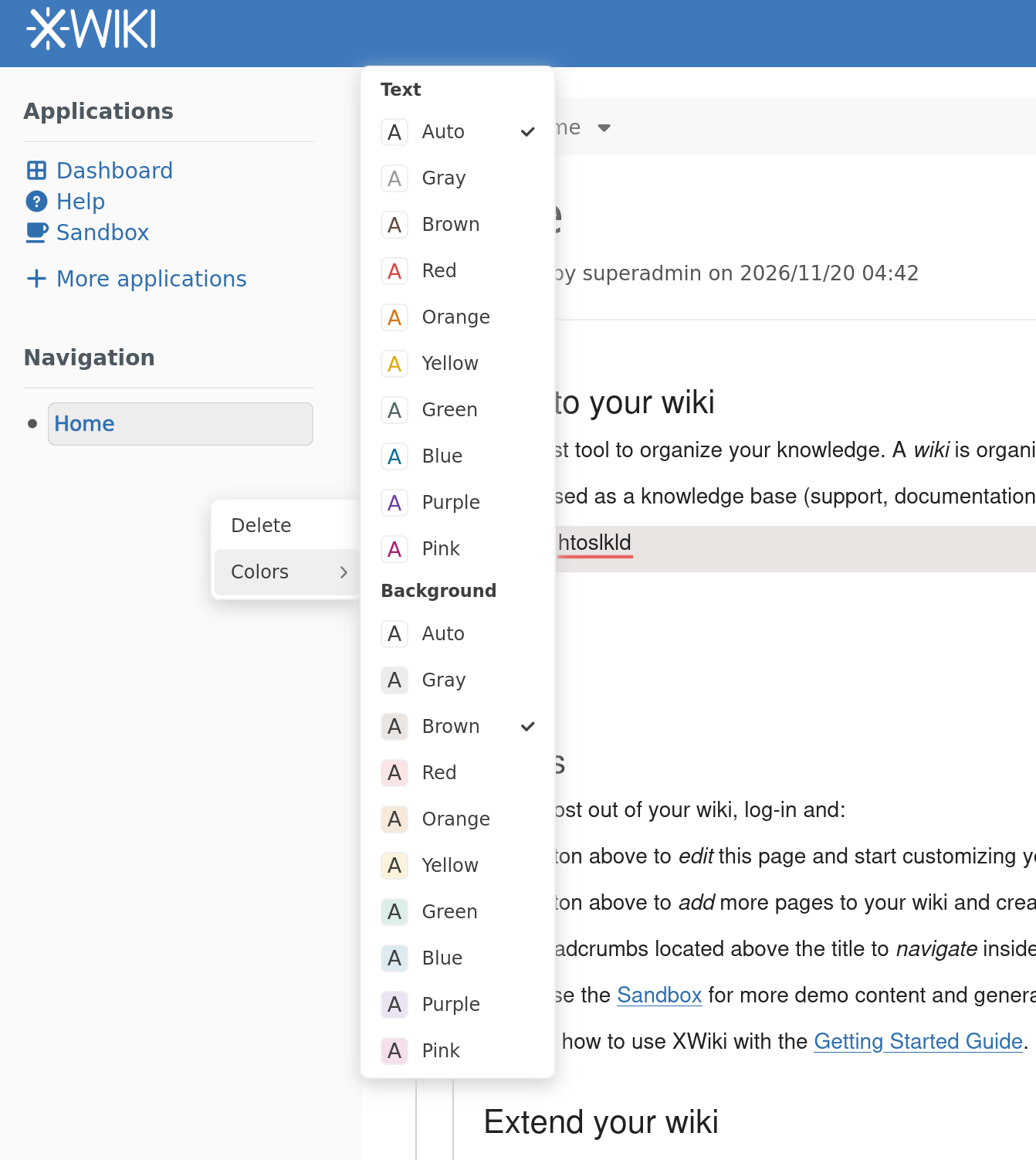
- Open the block handle menu (the drag handle on the left of the block), then Colors, and pick a background color, e.g. Brown. The color button of the formatting toolbar offers the same choice.
- Save.
- Look at the page source, then edit the page again.
Actual
- The page source holds (% style="background-color:brown" %).
- View mode renders the CSS brown keyword, which is much darker than the light brown offered by the editor palette.
- When editing the page again, the editor does not display the color.
Expected
The editor does not offer a color choice, since the BlockNote syntax cannot load the colors back.
Details
The choice is offered in two places, both BlockNote defaults kept by the integration:
- the Colors submenu of the block handle menu (SideMenuController in BlockNoteViewWrapper.tsx);
- the ColorStyleButton of the formatting toolbar (CustomFormattingToolbar.tsx).
See the attached screenshot of the block handle menu.
Attachments
Issue Links
- relates to
-
XWIKI-23025 Introduce Blocknote as an editor for XWiki
-
- Closed
-