Details
-
Bug
-
Resolution: Unresolved
-
 Major
Major
-
None
-
11.5-rc-1
-
None
-
Unknown
-
Description
Steps to reproduce
- Use a browser that cannot display TIFF images, e.g. Chrome, Firefox or Edge (Safari displays them).
- Open an attachment picker that allows uploading files, e.g. in the WYSIWYG editor insert an Office Document Viewer macro and use the picker of its attachment parameter.
- Choose "Upload a file ..." and upload a .tif image.
Expected result
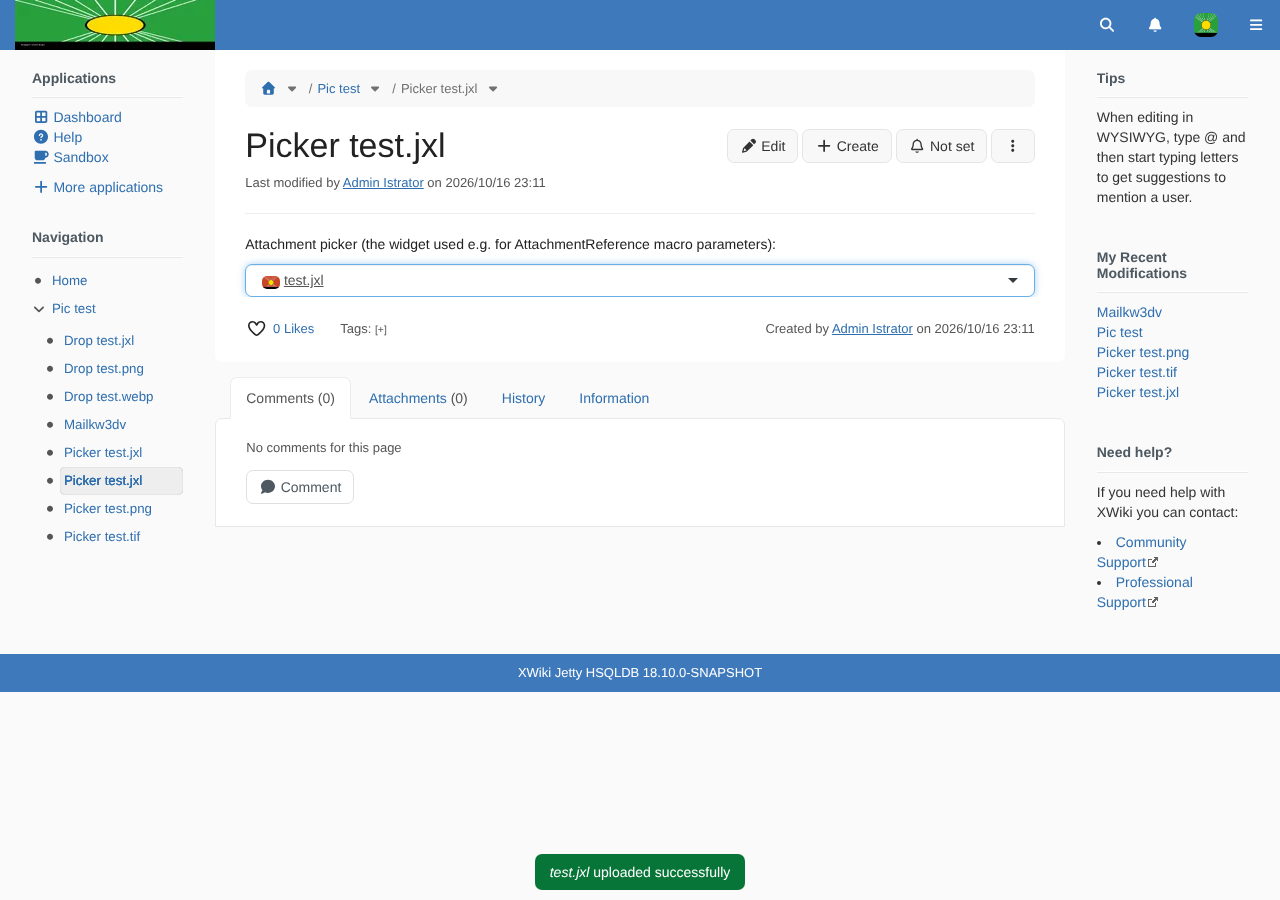
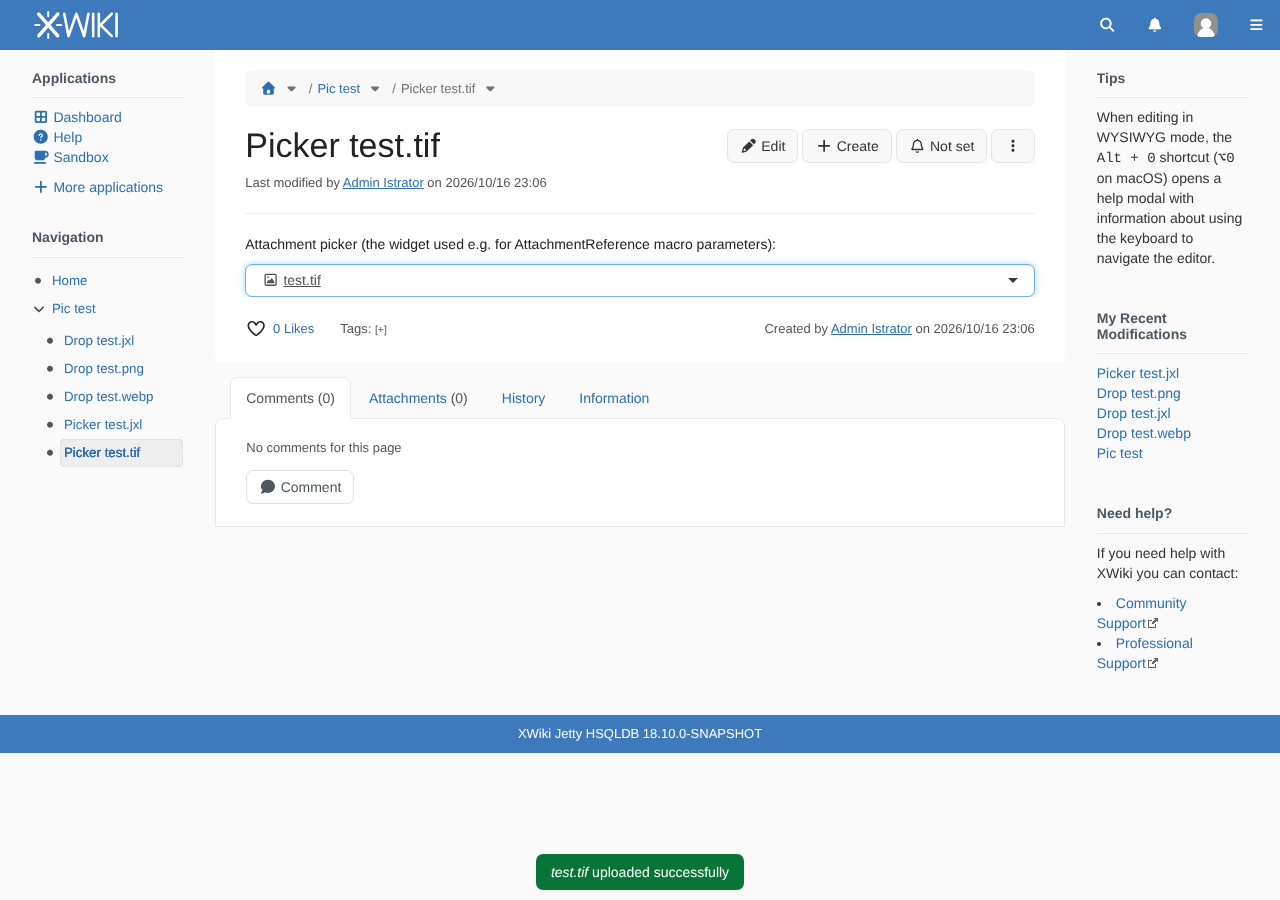
The upload notification changes to "<file> uploaded successfully" and the uploaded attachment is displayed as uploaded in the picker (with the generic image icon if the browser cannot display its thumbnail).
Actual result
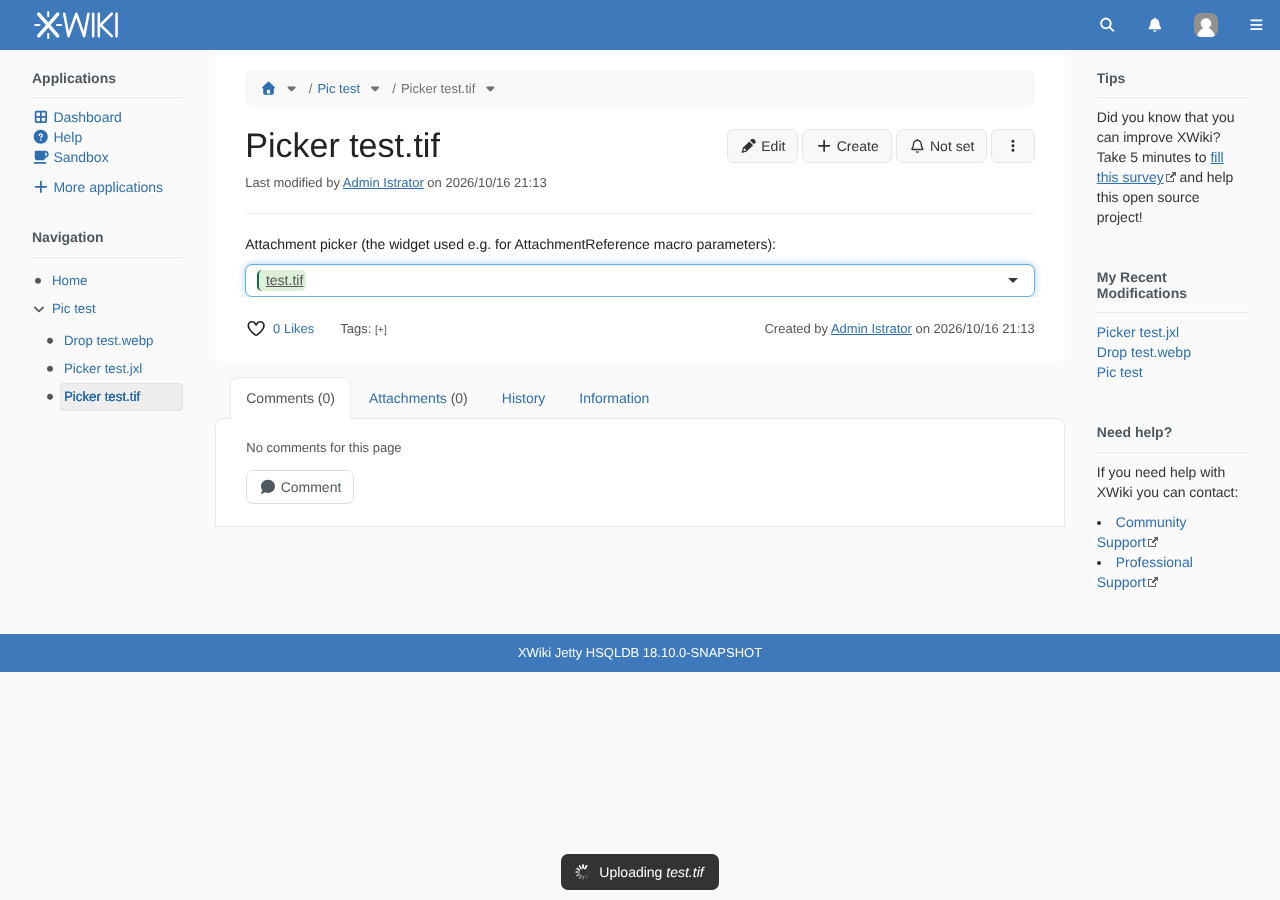
The file is uploaded and attached to the page, but the "Uploading <file>" notification never goes away and the picker keeps showing the attachment as being uploaded.
Cause
Before updating the display, the picker waits for the attachment thumbnail to be loaded (loadAttachmentIcon in uicomponents/attachments/icons.js, called from uicomponents/suggest/suggestAttachments.js). The promise is resolved only from the image onload handler; there is no onerror handler, so it never settles when the browser fails to load or decode the image.
The same happens for any image the browser cannot display: a corrupted image, or a format the browser doesn't support, such as JPEG XL in browsers that don't decode it yet (Edge, Firefox ESR, Chrome before 155, Firefox before 158).
The fix is to also resolve the promise when the image fails to load, so that the upload completes and the generic icon is used.
Attachments
Issue Links
- relates to
-
-

- Open
-
-
XWIKI-16347 Create a generic attachment picker
-
- Closed
-
-
XWIKI-25319 Display WebP, AVIF and JPEG XL images inline and insert them as images in the WYSIWYG editor
-
- Closed
-